← Back to works

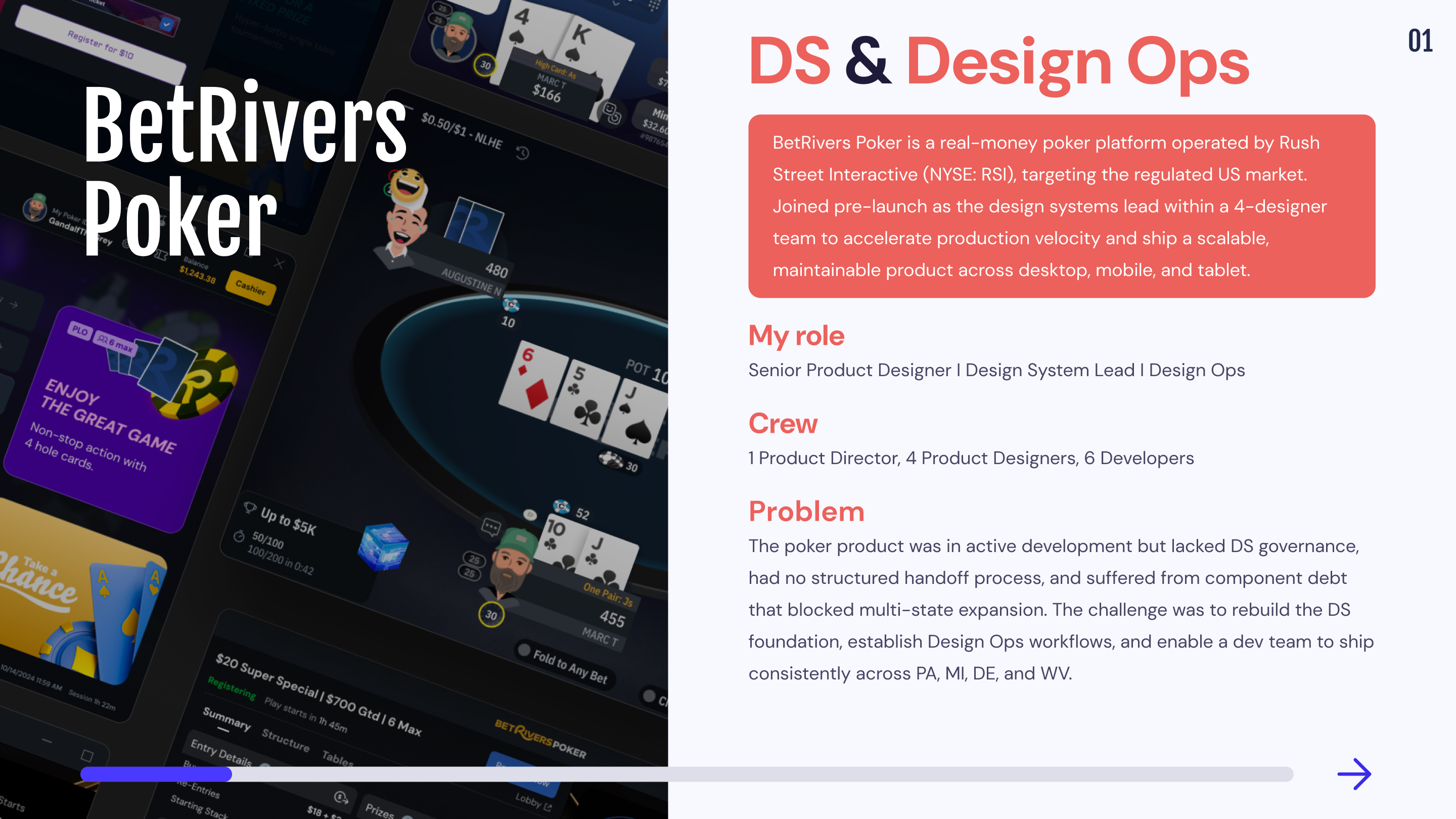
♠️ BetRivers Poker - App for Rush Street Interactive

Rush Street Interactive
Product DesignDesign SystemsDesign OpsApplicationCross-Platform Systems
📌
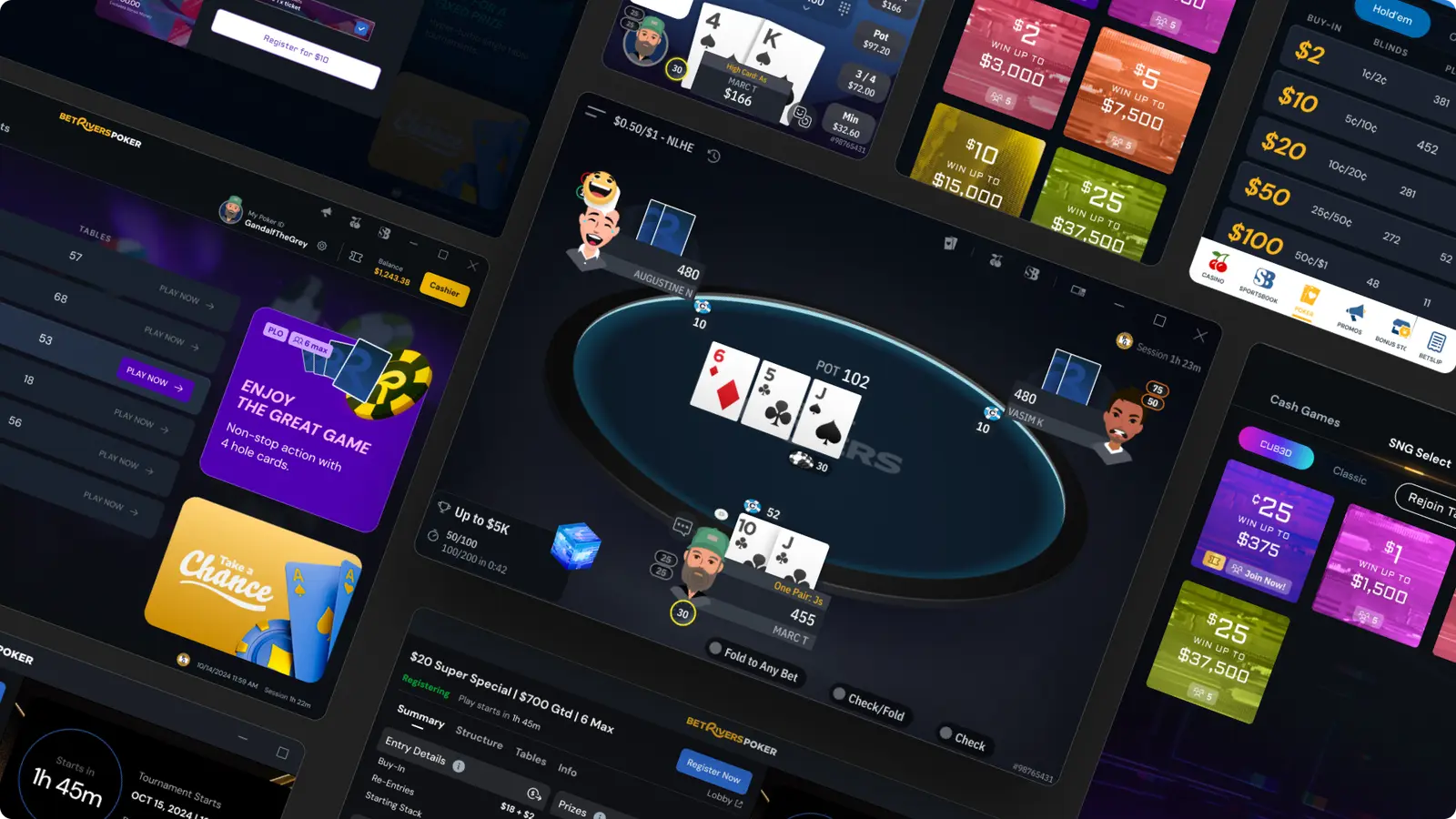
Rush Street Interactive (RSI) is a leading online gaming and sports entertainment company, operating primarily in the United States, Canada, and Latin America. Founded in 2012 in Chicago, RSI is recognized for its expertise and innovation in the industry, with flagship brands such as BetRivers, PlaySugarHouse, and RushBet.Through its proprietary platform, RSI offers a wide range of online casino games and sports betting options while maintaining a strong commitment to user experience and responsible gaming. As part of this ecosystem, BetRivers Poker was developed as an innovative online poker app, available on desktop, mobile, and tablet. As the product was nearing its launch, the team identified the need for additional support to accelerate production. By integrating these optimizations, the goal was not only to accelerate production but also to improve the long-term quality and maintainability of the product.
⏱️
Contract
2 years
🧑‍💻
Team
4 Product Designers, 1 Product DIrector, 1 QA, 1 PM, Dev Team
🎮
Product
iGaming App
Objectives

Optimize the Design System and workflow processes to accelerate production velocity, improve design consistency across platforms, and streamline the handoff between design and development.

📬
The missions
  • Enhance and structure the Design System to ensure better consistency across platforms
  • Support teams in optimizing their workflows and managing design files and handoff process efficiently.
  • Integrated design rules to streamline UI development.
  • Establish a documentation source to facilitate knowledge sharing.
  • Implement Design Ops practices to improve the collaboration
  • 🌎
    Work setup

    Remote from Bangkok (GMT+7) with structured async handoff across EU timezone. Operational overlap with Singapore, Sydney, and Tokyo without schedule constraint.

    Mission 1 : Design Ops & Design System
    📒
    Context
    🎯
    Scope of responsibility
    🕵️‍♂️ Our Organization

    BetRivers Poker is part of Rush Street Interactive (RSI), which also includes two other teams: Sportsbook and Online Casino. These teams are directly connected to RSI’s global Design System, ensuring consistency across their platforms.
    However, our Poker team had specific needs that required a separate Design System. We needed:

  • Custom components that didn’t fit within the existing RSI DS.
  • Faster iteration cycles without relying on external dependencies.
  • Full control over our ecosystem, ensuring flexibility and speed.
  • By developing our own Poker Design System, the idea was to optimized production velocity, streamlined handoff, and created an agile design workflow tailored to our product’s unique requirements.

    🗃️ Folders presentation

    The BetRivers Design System is composed of 5 main folders and I participated in their construction :

    1.🕵️‍♂️ Ds Ops

    This folder contains files used to improve our work processes.

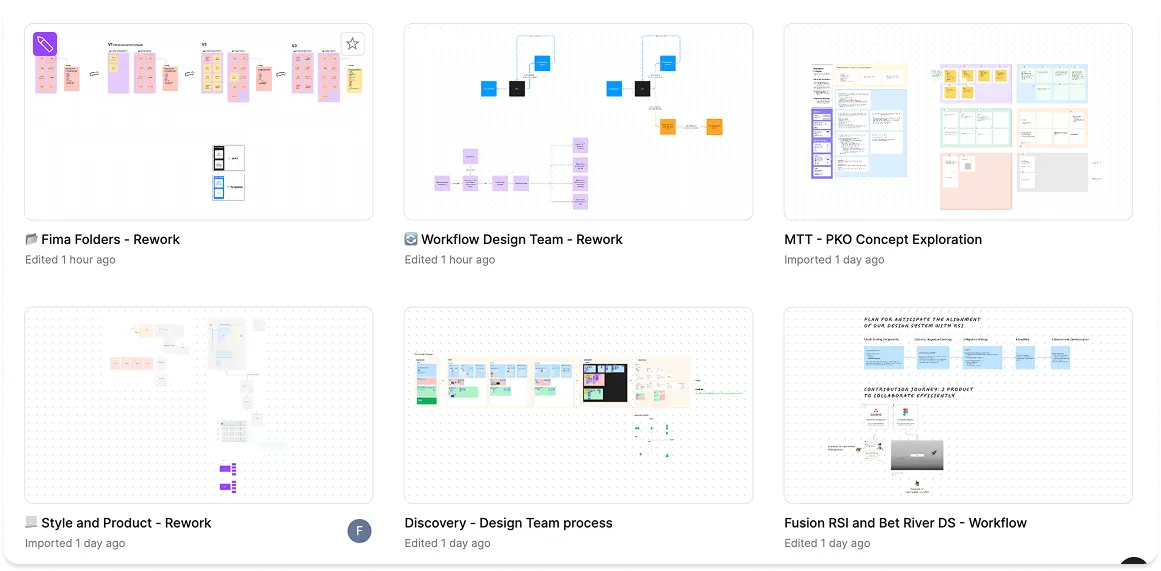
    📁 Workflow Design Team

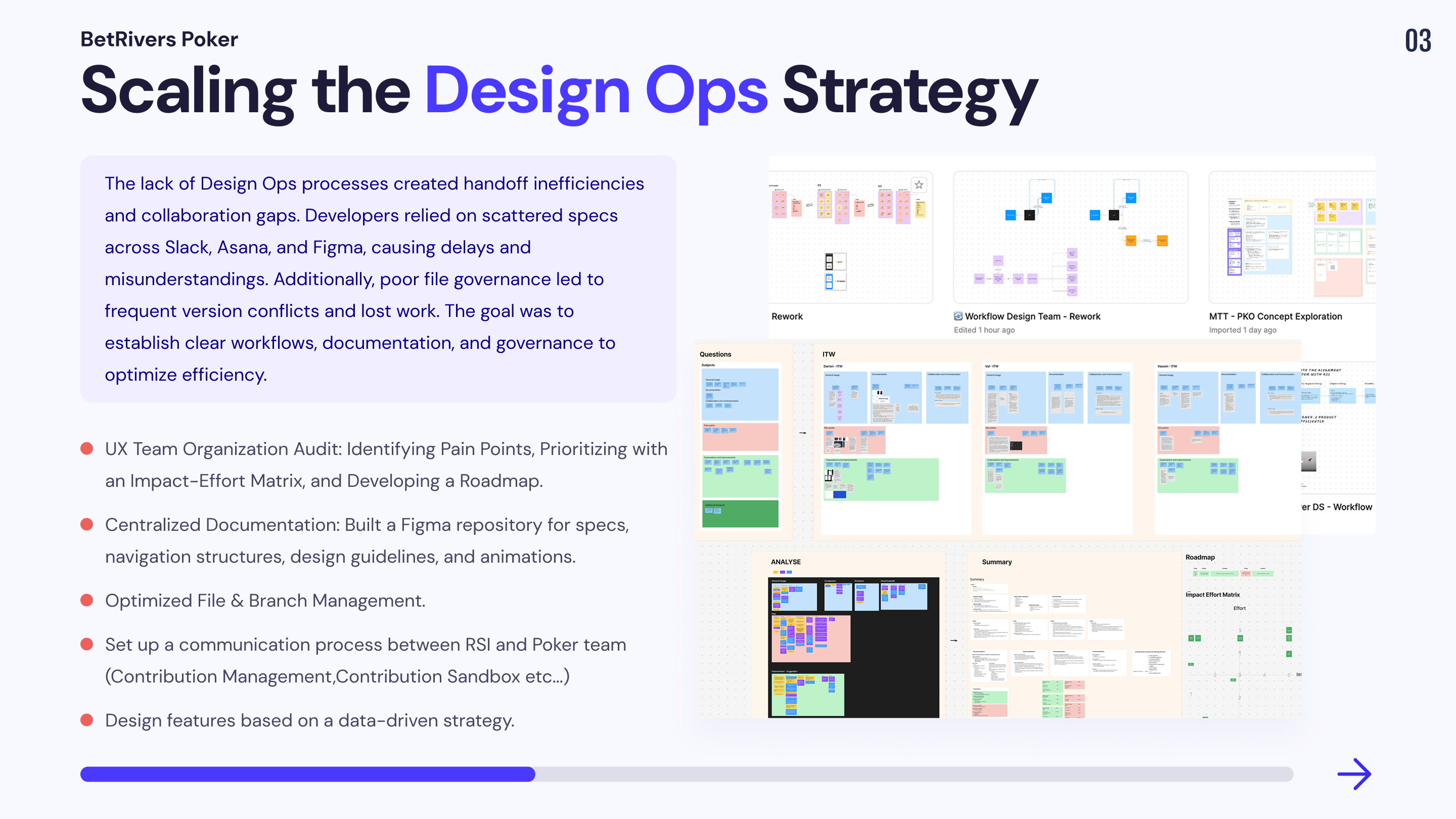
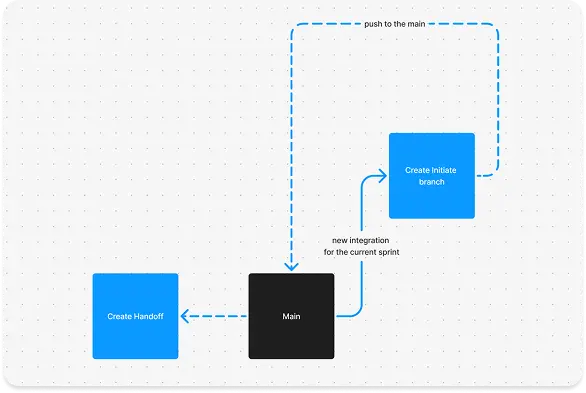
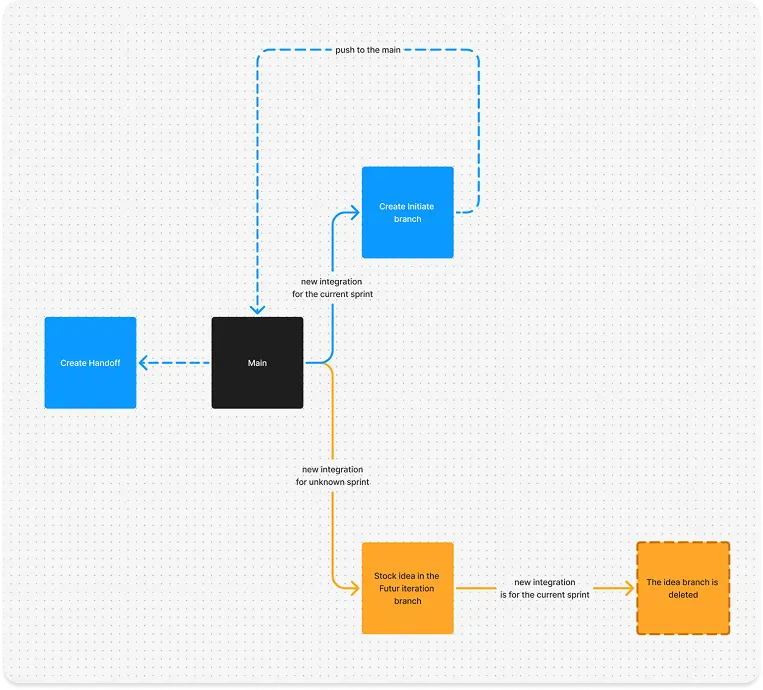
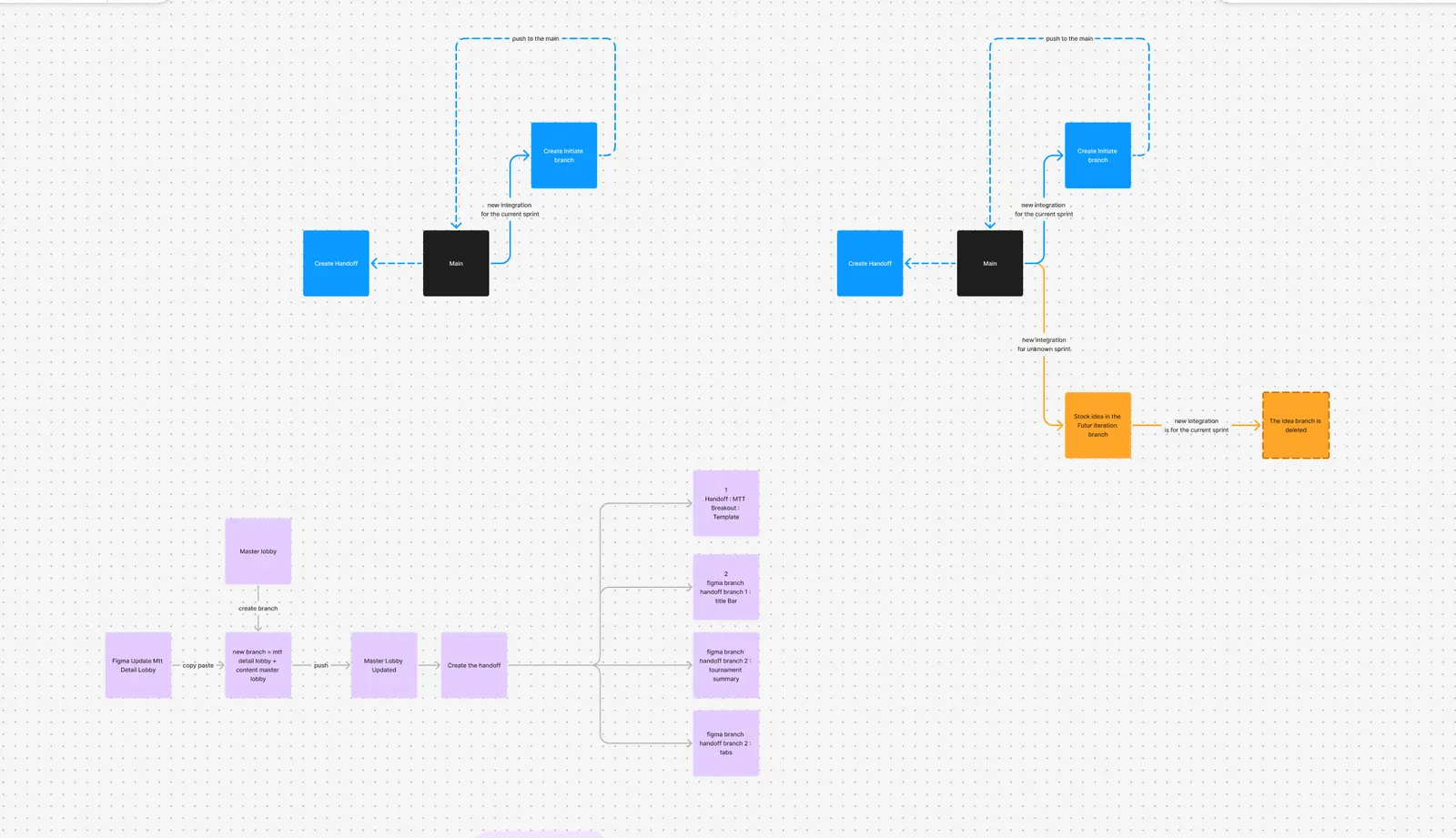
    The purpose of this file was to review and optimize our processes for handoff creation, initiating design explorations, integrating new features into existing designs, and managing the archiving process efficiently.
    📂 Fima Folders - Rework

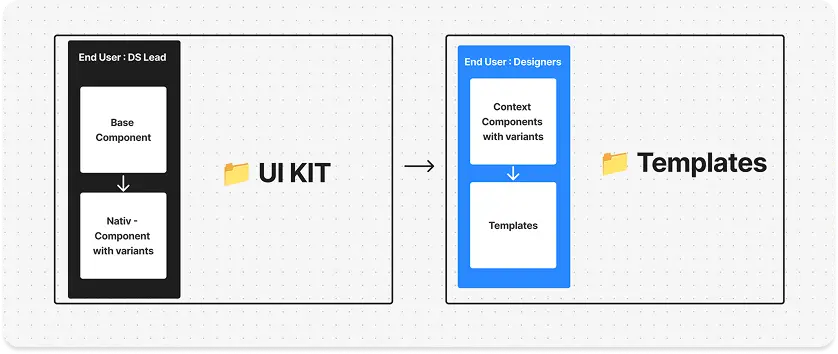
    This file aimed to restructure our Figma organization, separating the UI kit (the single source of truth for components) from templates used by product designers. The challenge was to allow designers to customize components for interface building without breaking the UI kit. This led to the introduction of contextual components, a concept we plan to revisit later.

    📂 Style and Product - Rework

    This file aimed to refine content organization by improving categorization and grouping of styles and components while identifying missing items to ensure better structure and clarity.
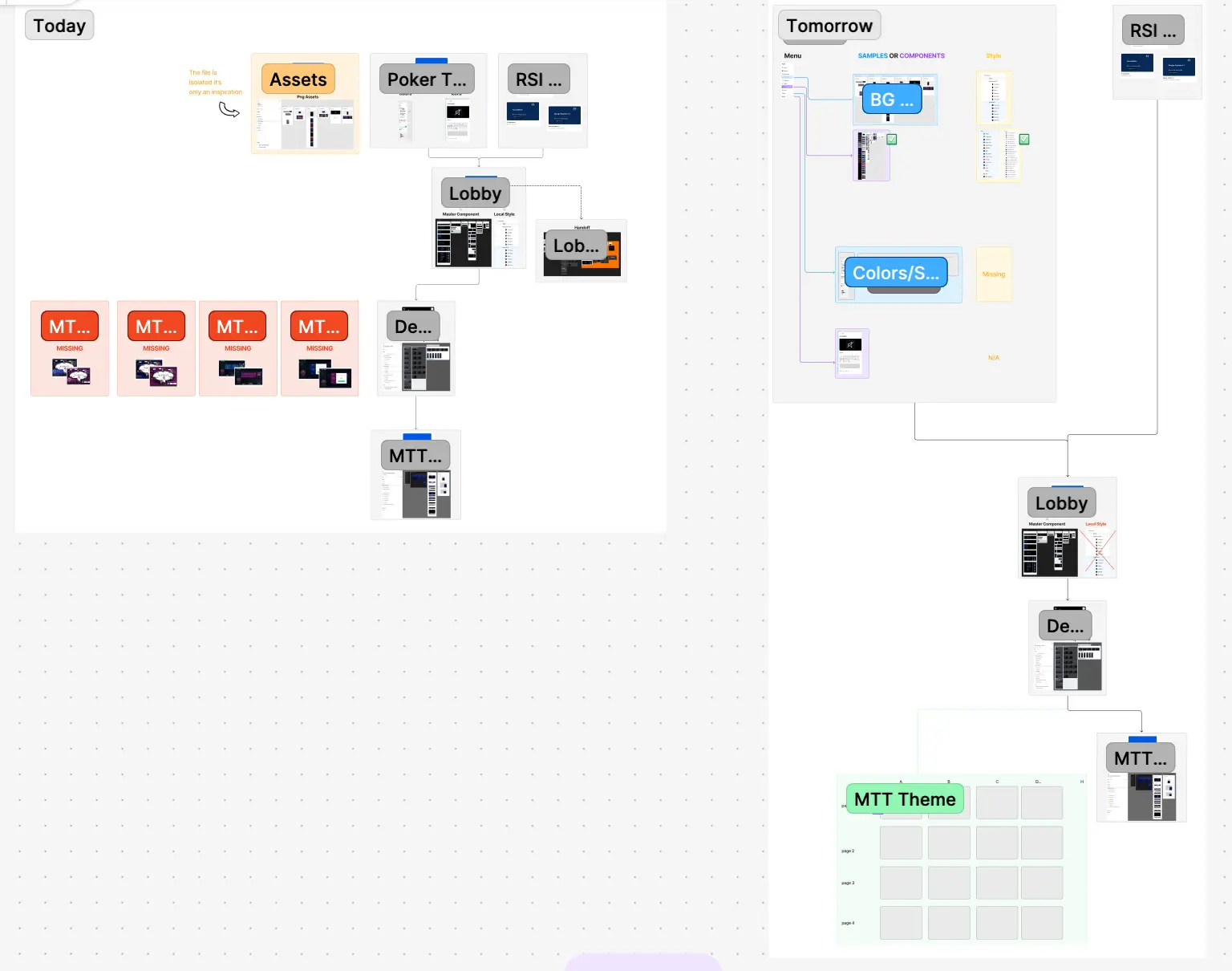
    📂 Discovery - Design Team process

    This file aimed to audit our current organization and assess how the product design team used, documented, and collaborated within our files. It identified pain points and improvement expectations from team members. Based on these insights, I created an impact-effort matrix to prioritize solutions and define a clear roadmap for optimization.

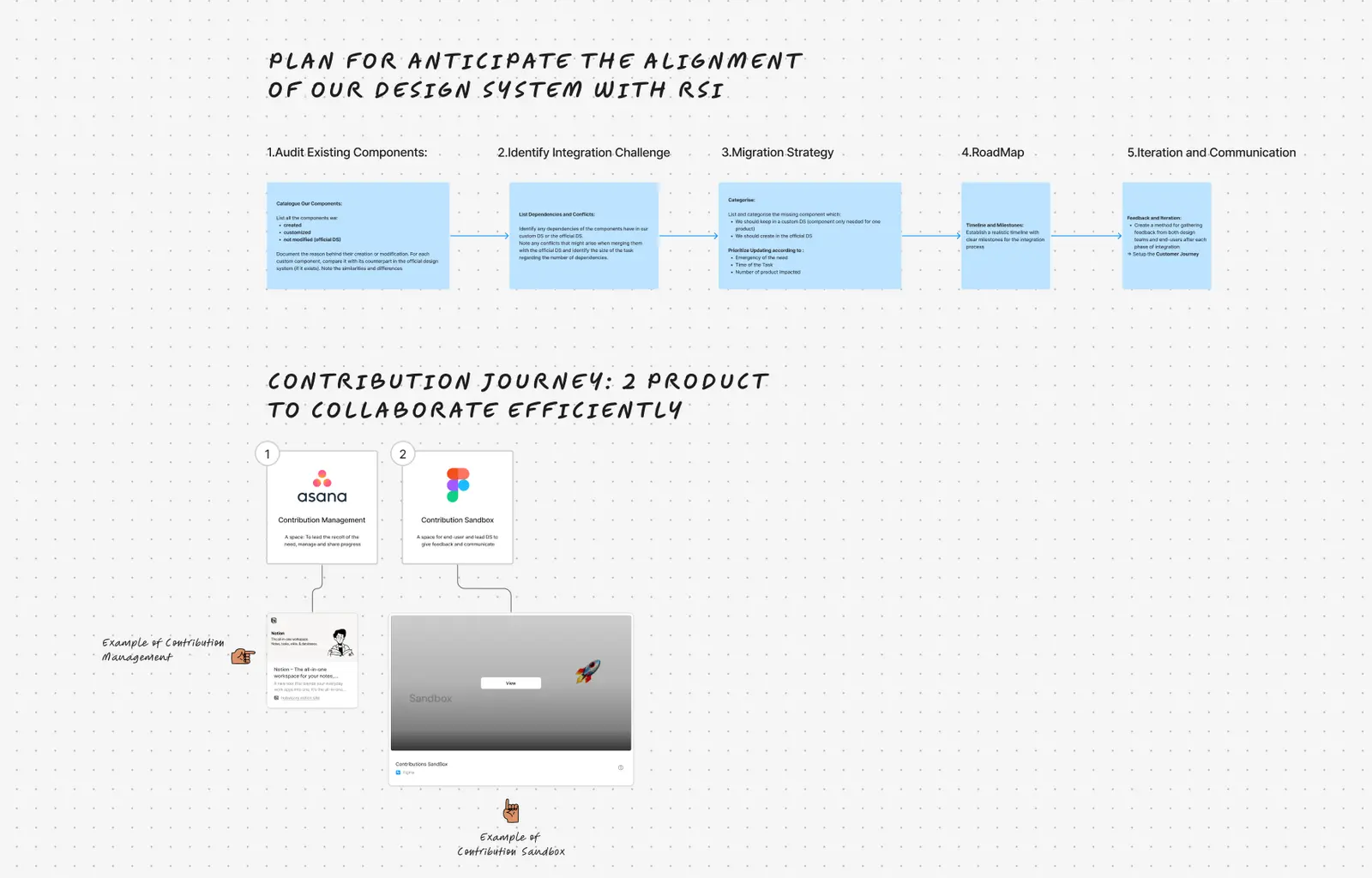
    📂 Fusion RSI and Bet River DS - Workflow

    The aim of this project was to build a plan to help better integrate our Ecosystem within RSI DS.
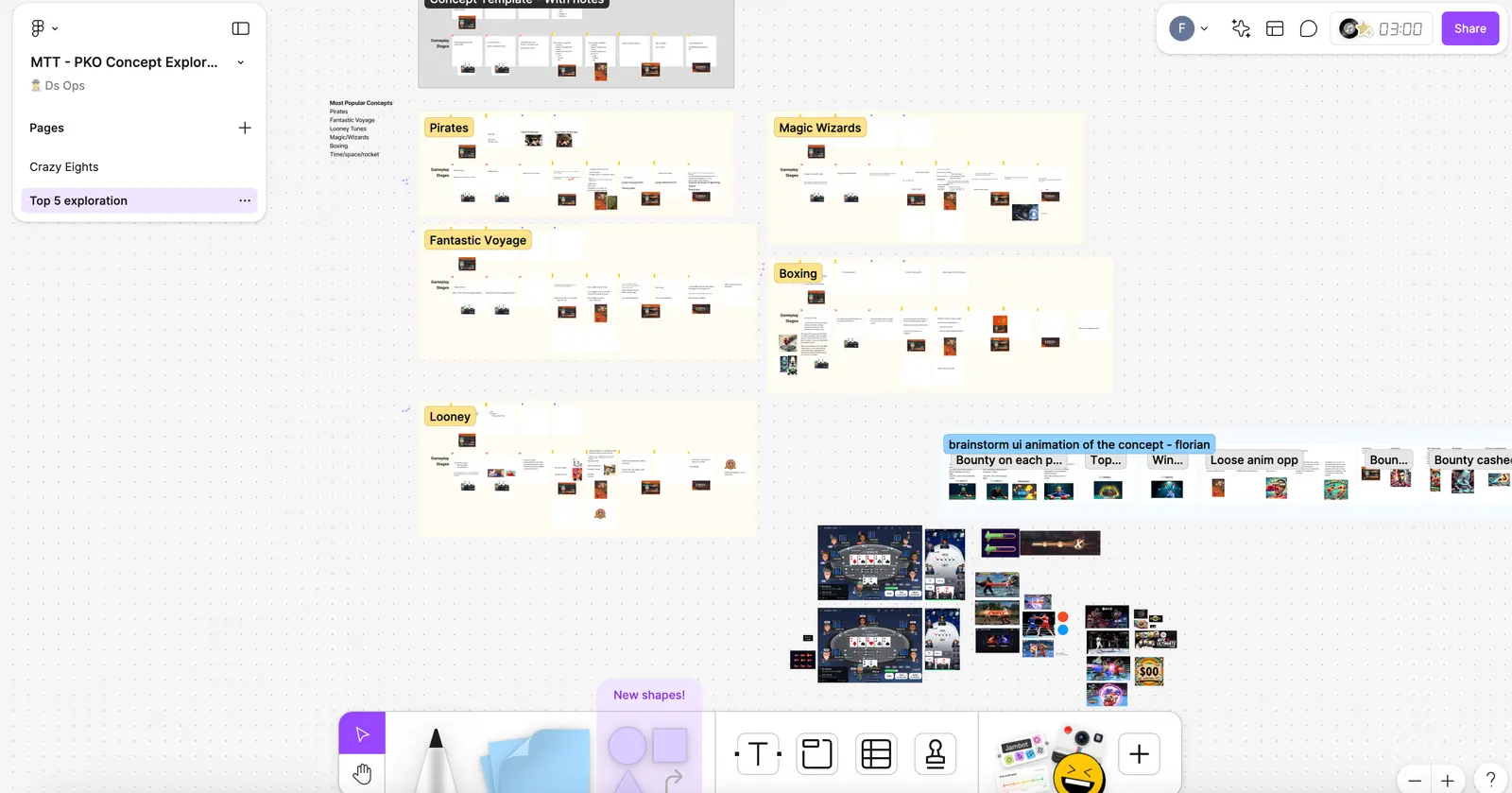
    📂 MTT - PKO Concept Exploration

    This file aimed to explore new design approaches for the Knockout tournament theme using a Crazy 8 ideation session to generate innovative feature concepts.
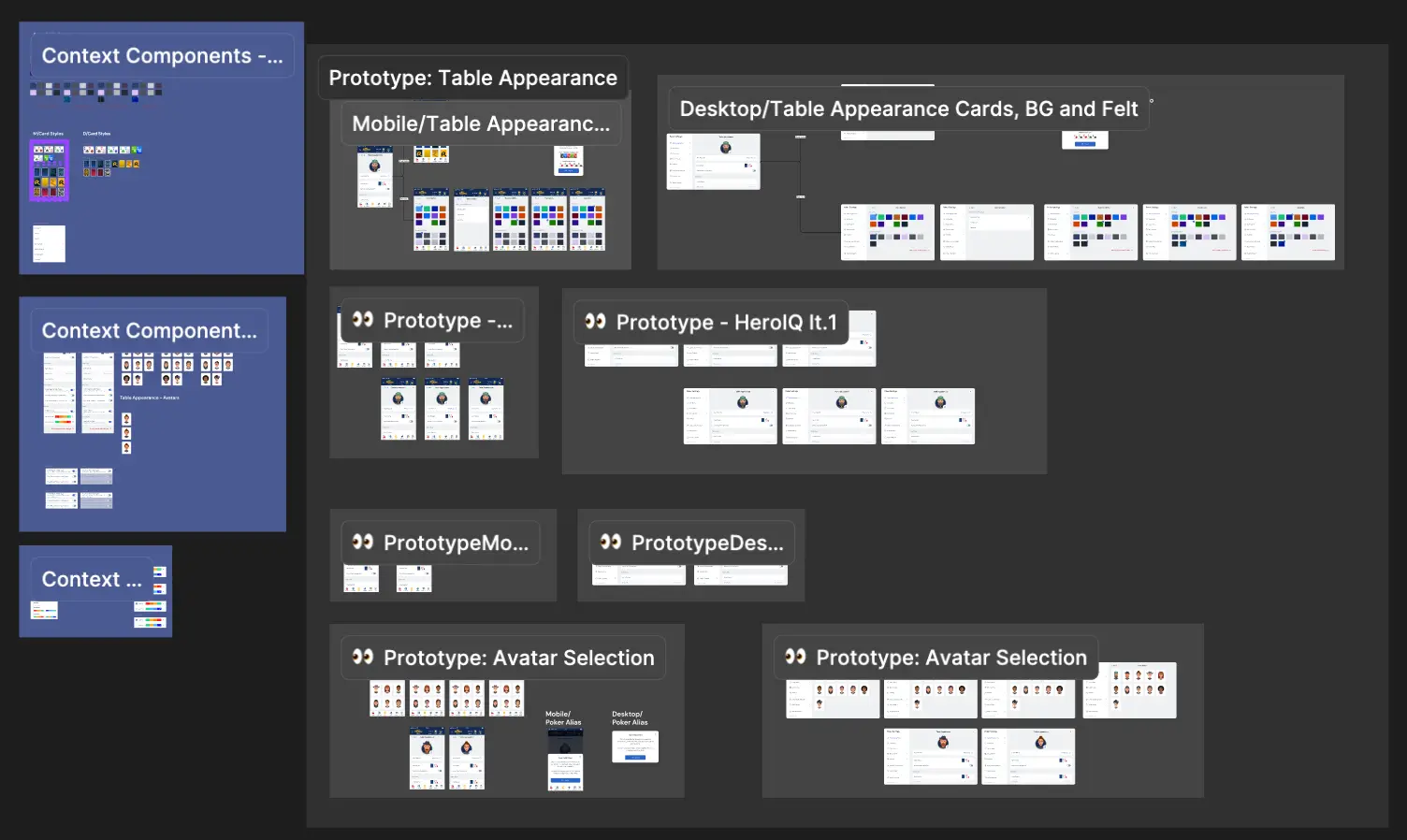
    2.🕹️ Samples
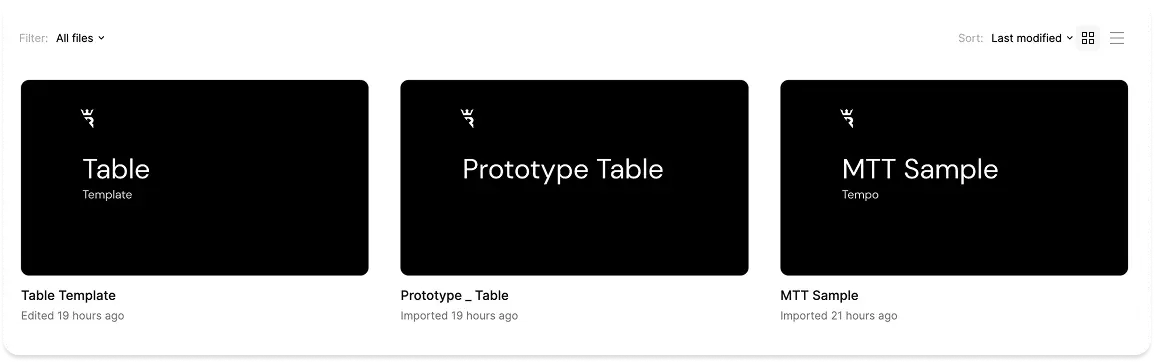
    This folder contains files that showcase component interactions, helping product designers and developers better understand their behavior. It also provides an overview of all style combinations, as our game offers multiple customization options for its appearance.

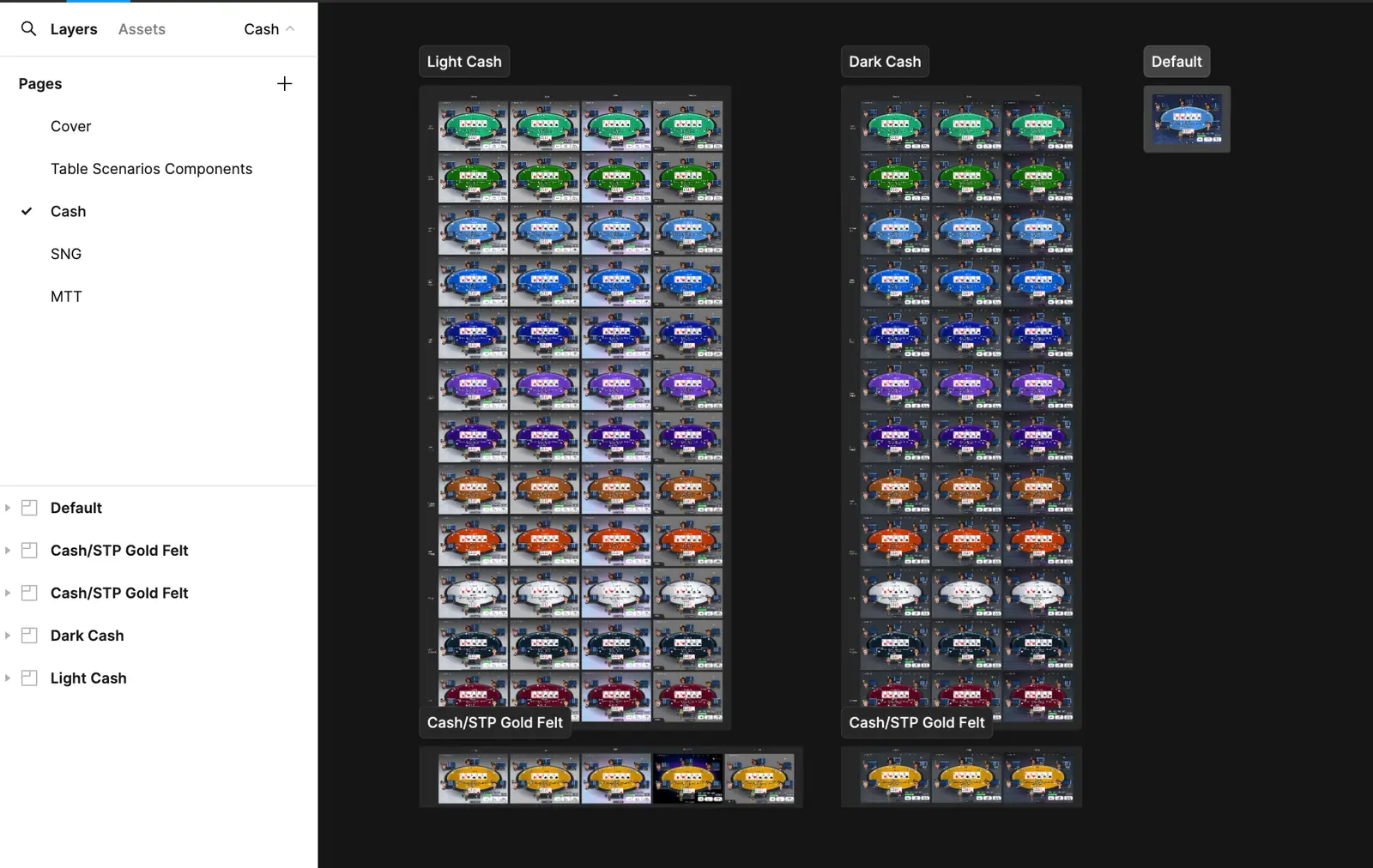
    📁 Table

    This file is dedicated to representing the different styles available for the table's appearance.
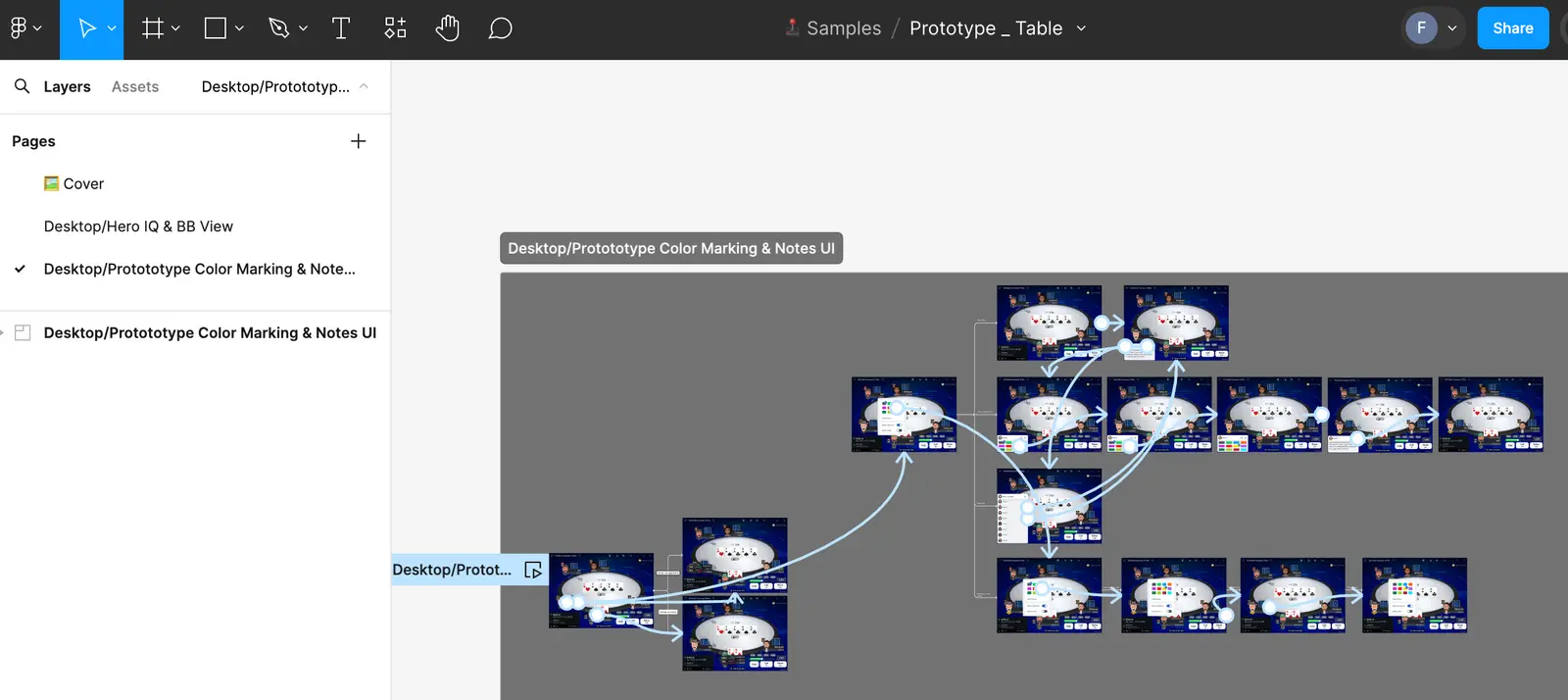
    📁 Prototype Table

    For optimization reasons, a separate file is necessary when adding multiple interactions to illustrate various features within the same prototype. Including them directly in other files would make them too heavy, as those files are focused on isolating and presenting individual features.
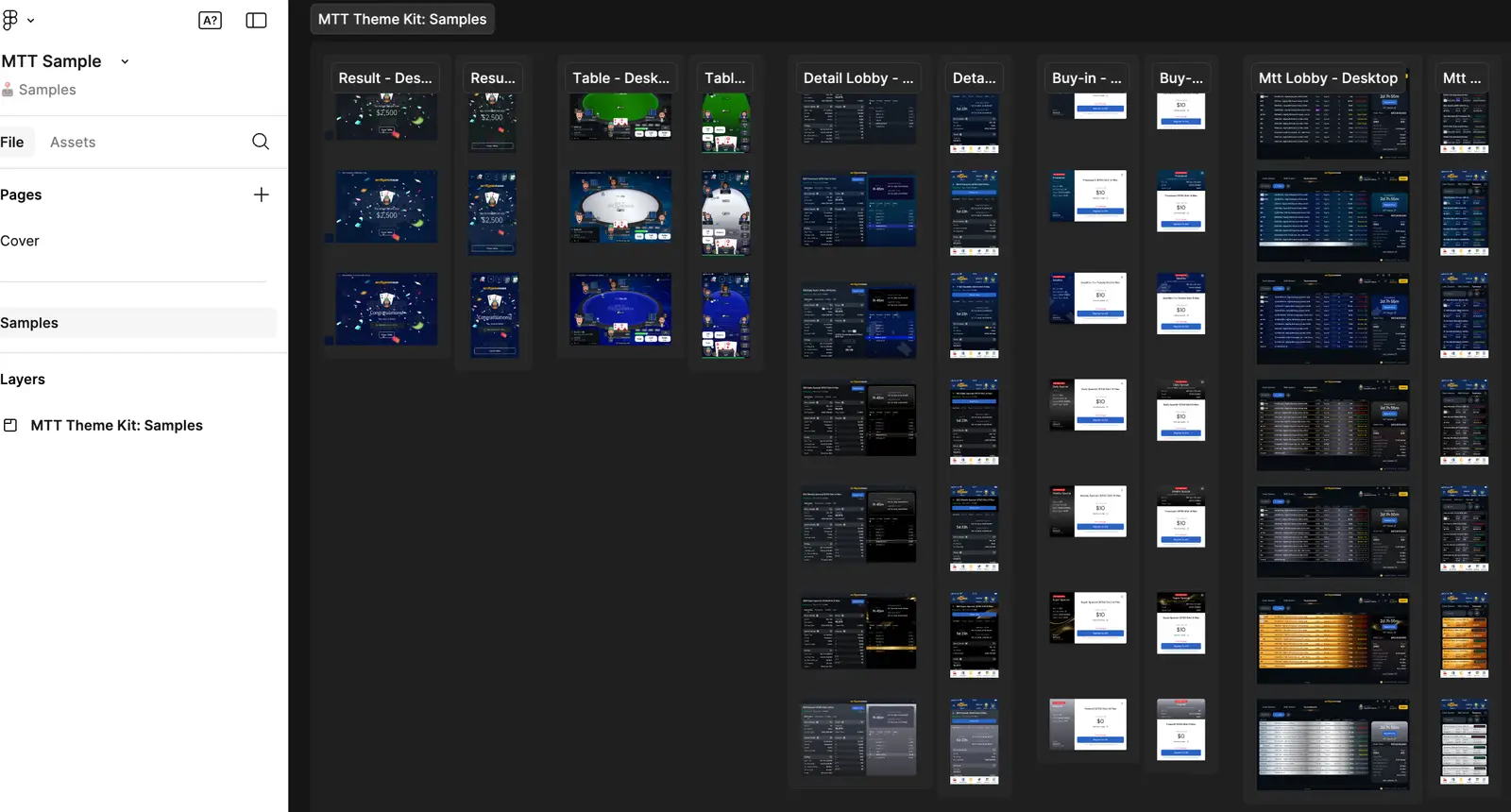
    📁 MTT Sample

    This file is dedicated to representing the different styles available for the MTT appearance on the different areas (Table,Mtt Lobby,Mtt Dt Lobby,Result,Buy-In)
    3.🎨 Design
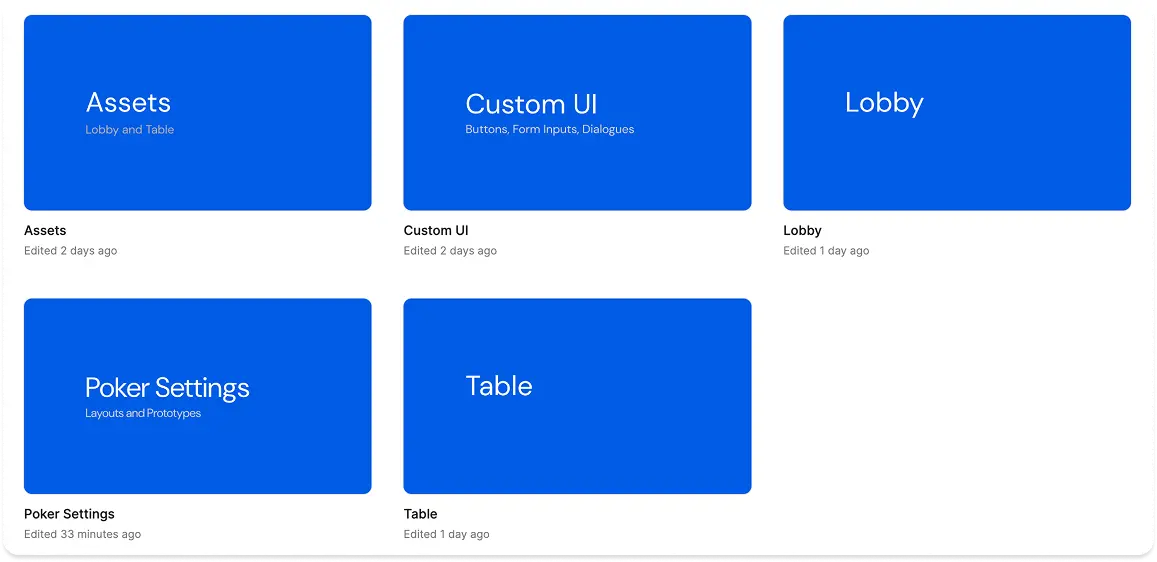
    This folder contains our UI Kit components and Foundations, essential for building all our poker products and serving as the single source of truth. I am responsible for their maintenance and functionality. The components are organized into 5 distinct areas for better structure and usability.

    📁 Table

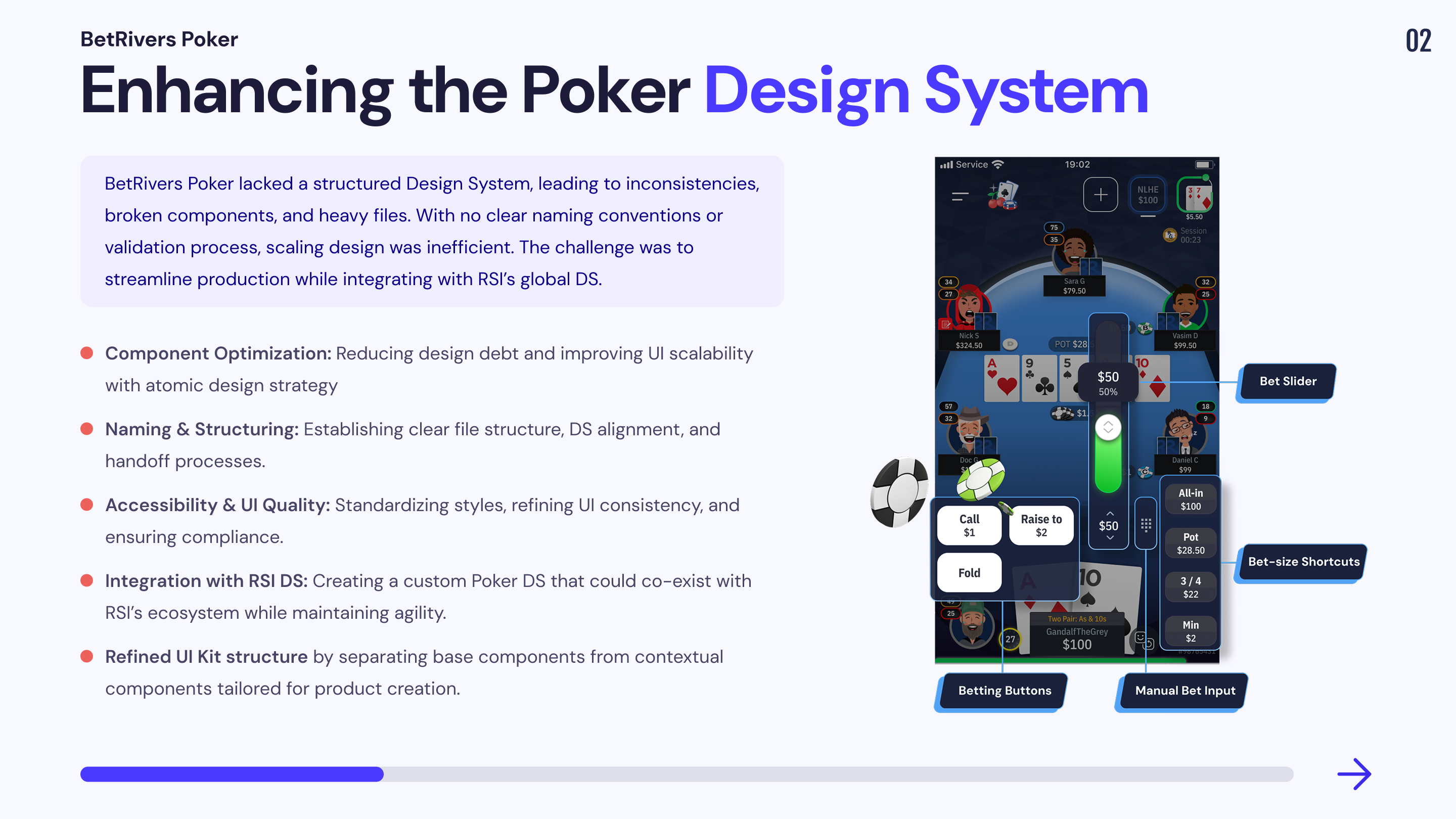
    This file is dedicated to both basic and complex components for the table area. Each page includes its own specifications and a dedicated prototype to illustrate its features.
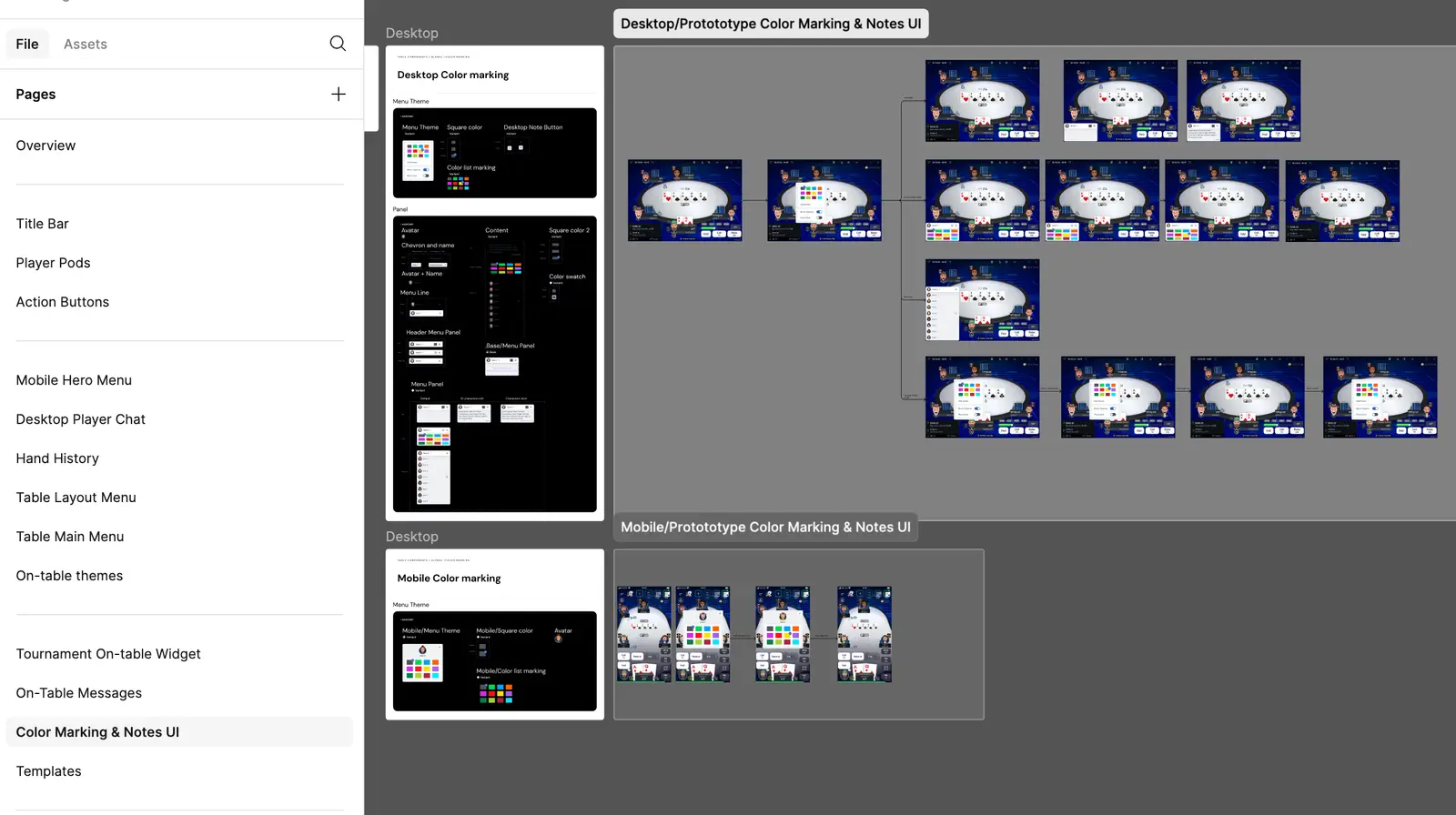
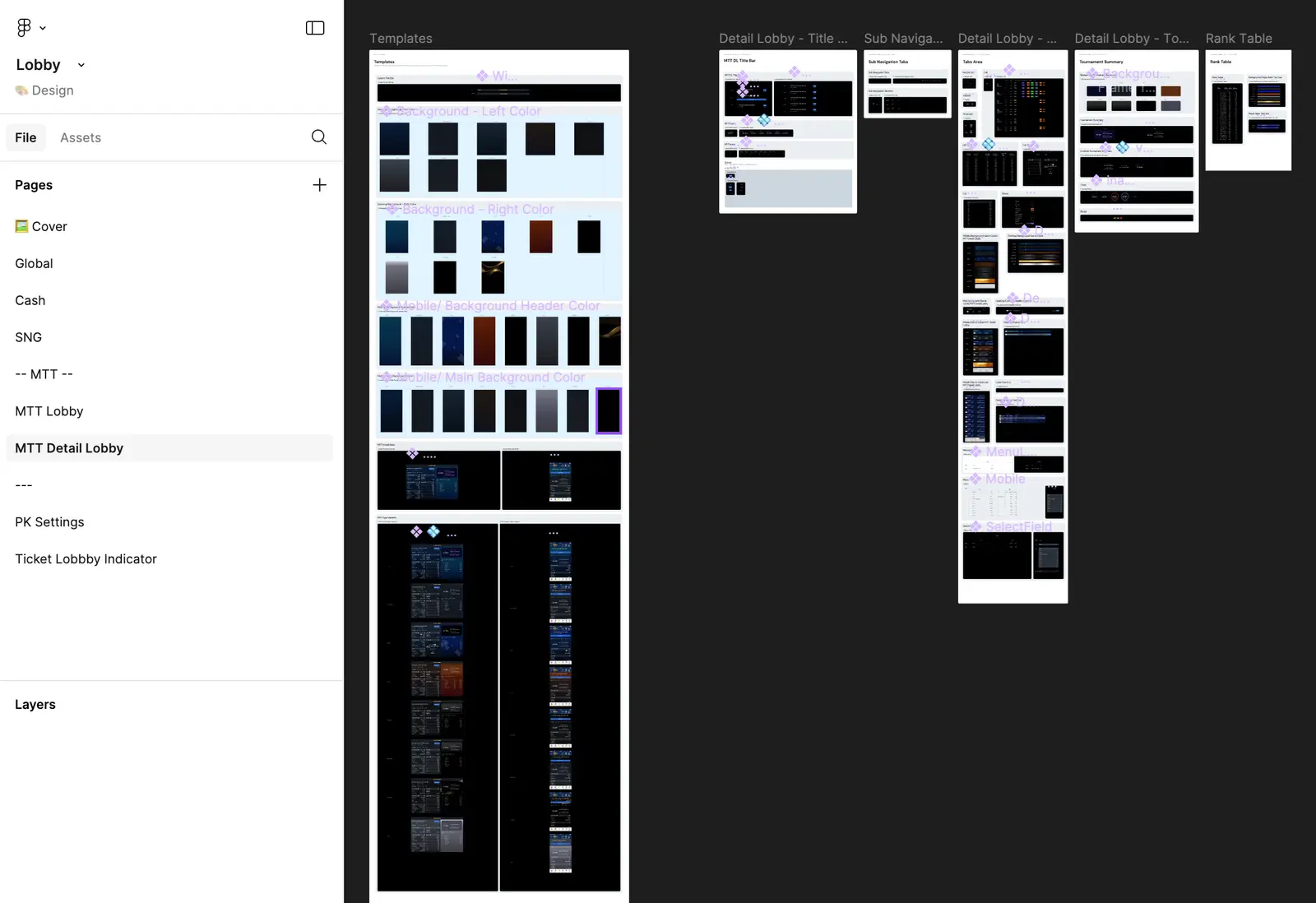
    📁 Lobby

    This file is dedicated to both basic and complex components for the lobby area. Each page includes its own specifications and a dedicated prototype to illustrate its features.
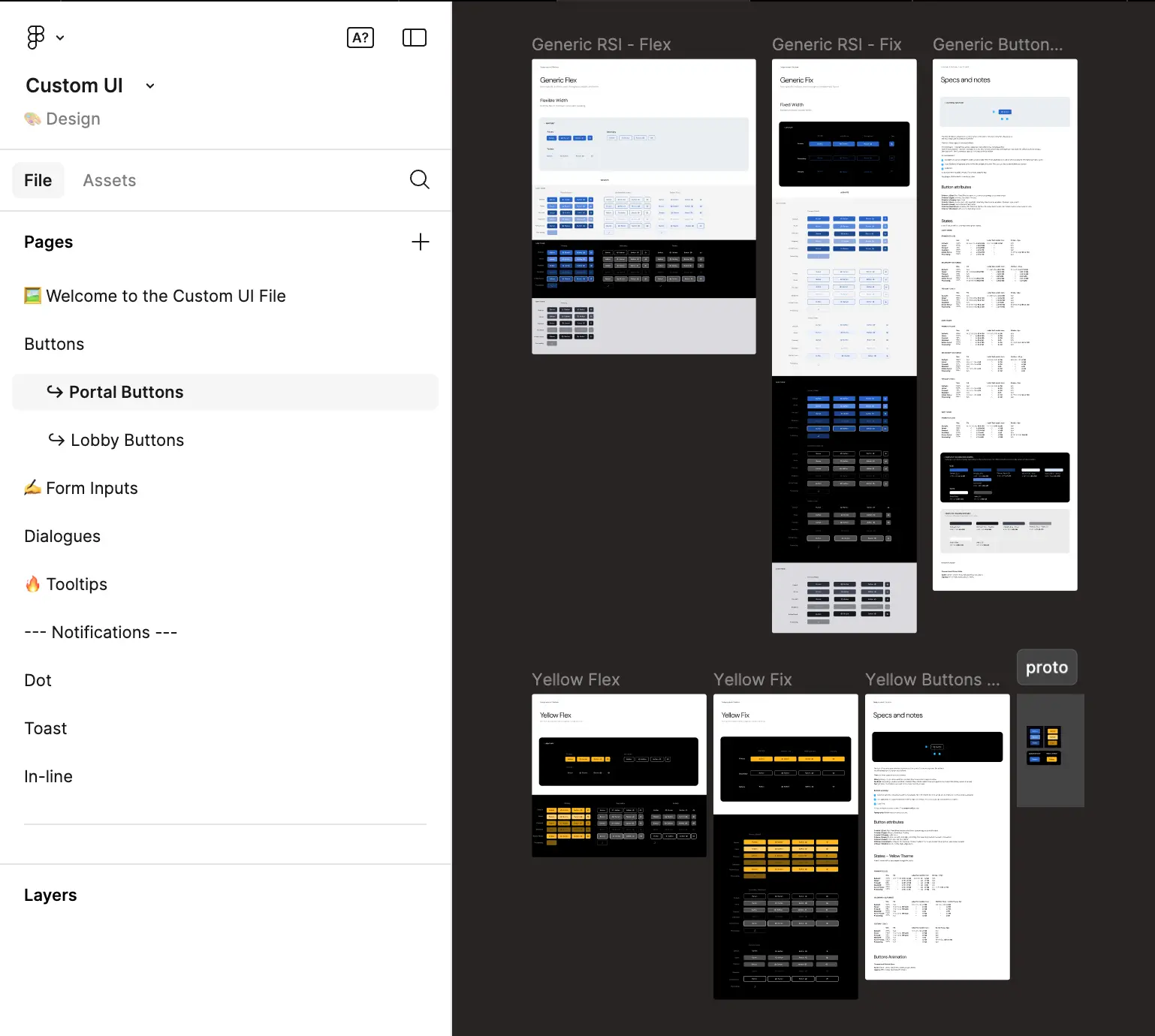
    📁 Custom UI

    This file contains custom atomic components (different from RSI DS) that are used throughout our application.
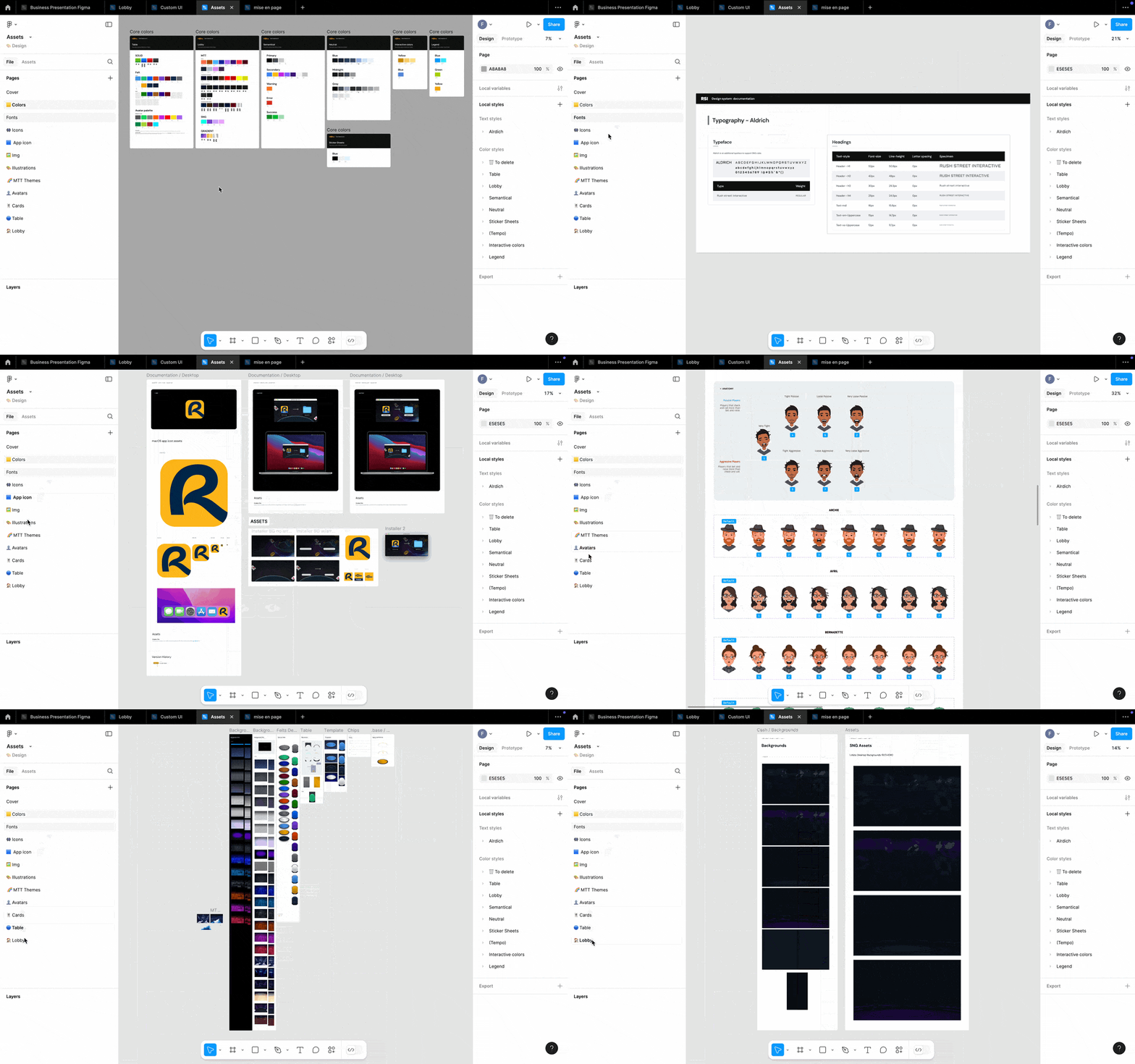
    📁 Assets

    This file contains all our foundations (color,fonts,icon,img,illustrations,logo)
    📁 Poker Settings

    This file is dedicated to both basic and complex components for the poker setting area. Each page includes its own specifications and a dedicated prototype to illustrate its features.
    4.📚 Documentation
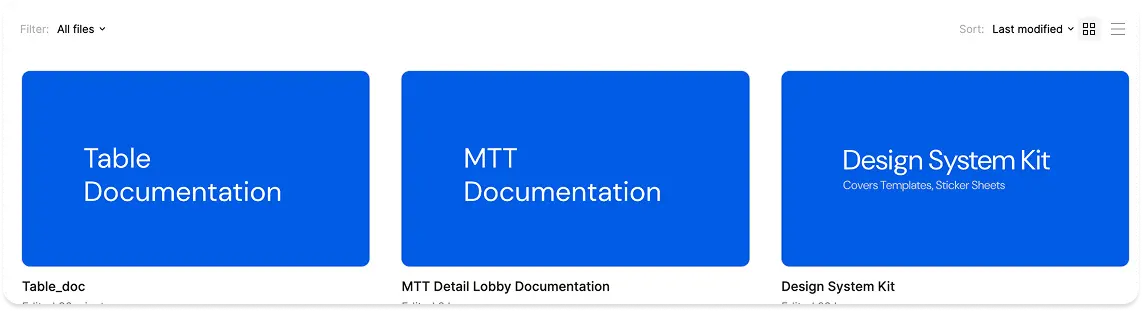
    This folder contains files that define and summarize our app’s various interactions and main specifications. It also includes our design kit for building different legends in our Figma file, along with our guidelines on naming conventions, file structure, and contribution process.

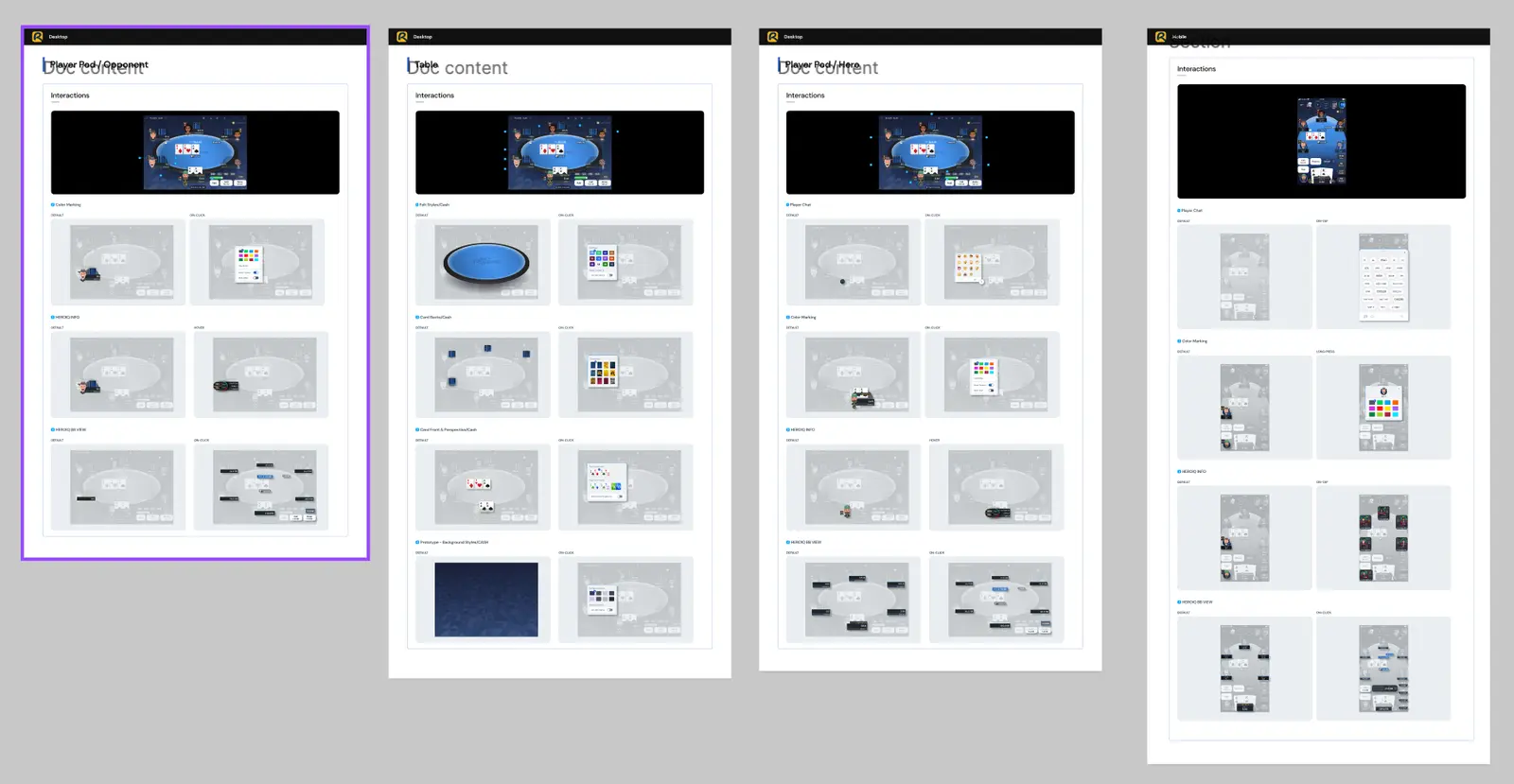
    📁 Table Documentation

    This file is dedicated to summarize our main spec and interactions on our Table for mobile and desktop.
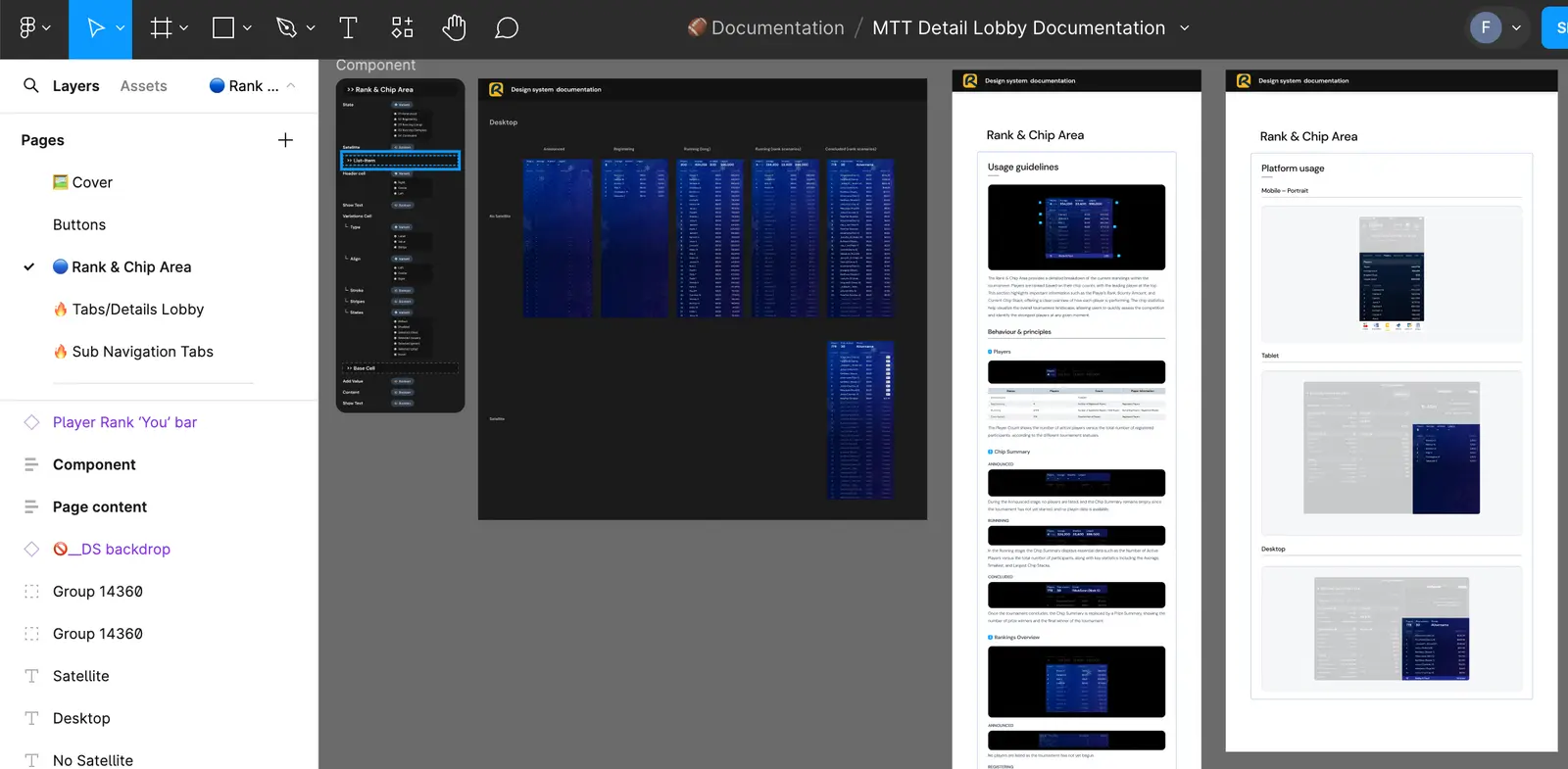
    📁 MTT Documentation

    This file is dedicated to summariwe our main spec and interactions for MTT DT Lobby product.
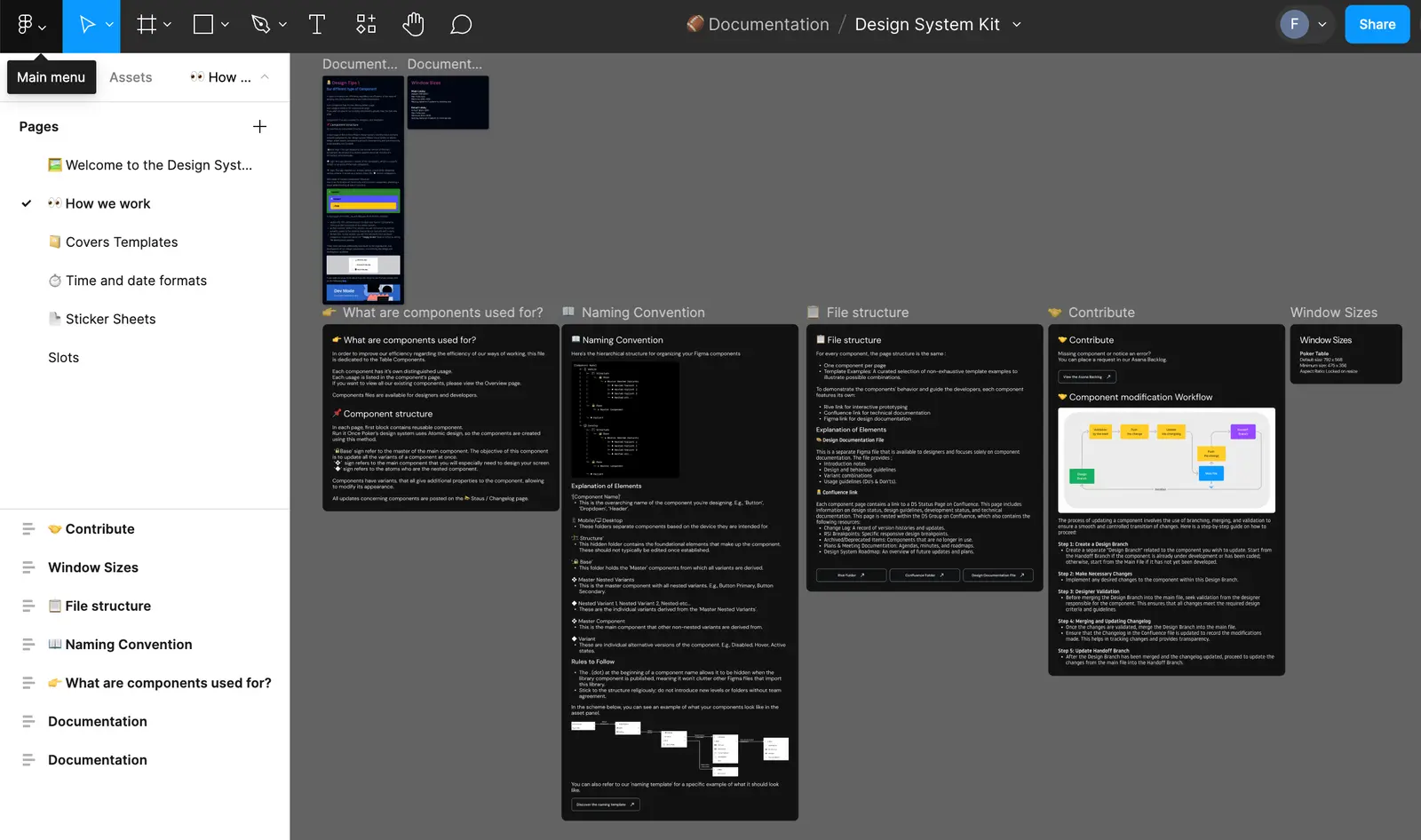
    📁 Design System Kit

    This File is dedicated to build our differents legens in our figma and also contain our guidelines, naming conventions, file structure and contribution process.
    5. 🧰 Products

    This folder provides product designers to build all the necessary interfaces to illustrate the various possible user flows within our product.

    📁 MTT Detail Lobby

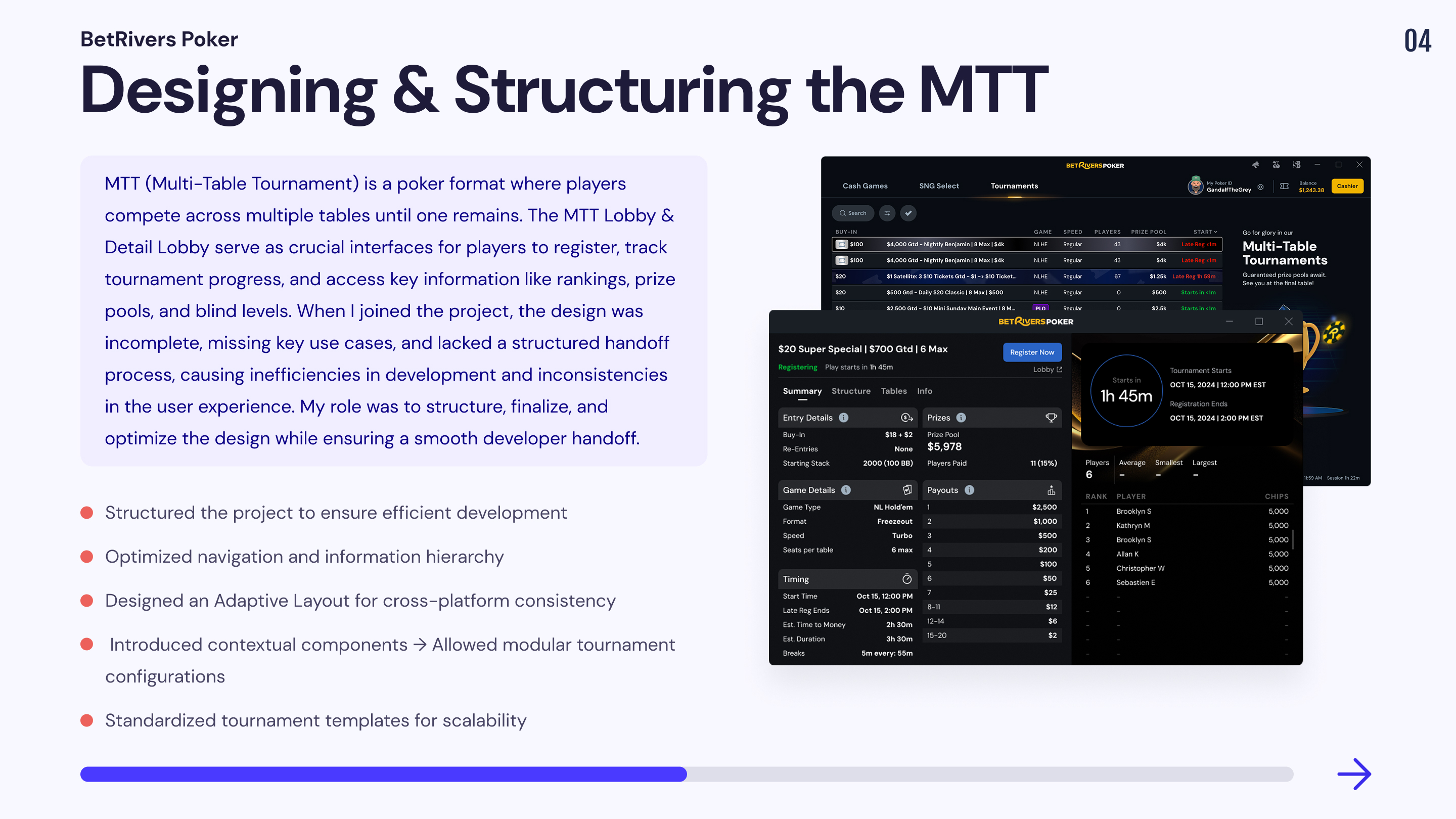
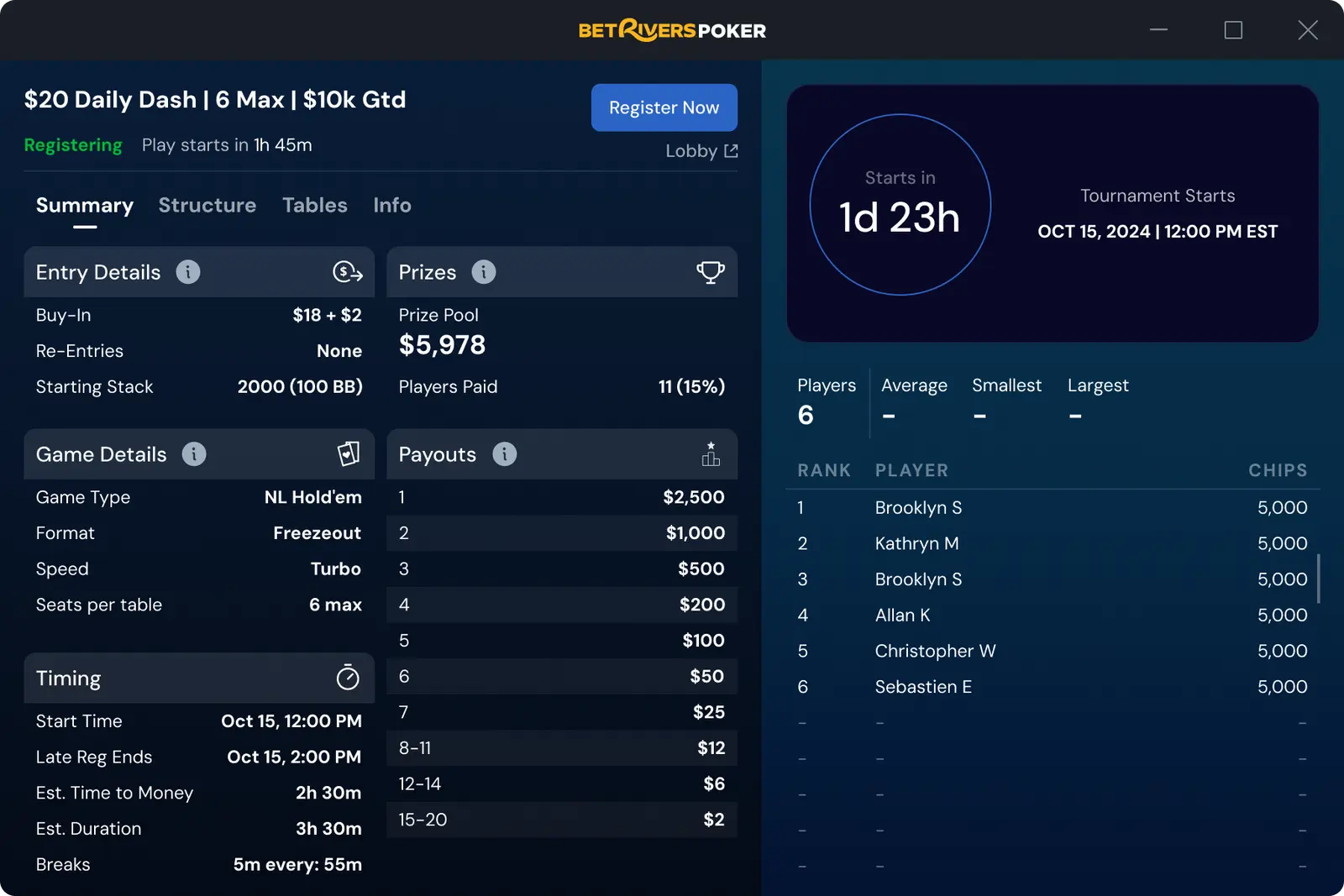
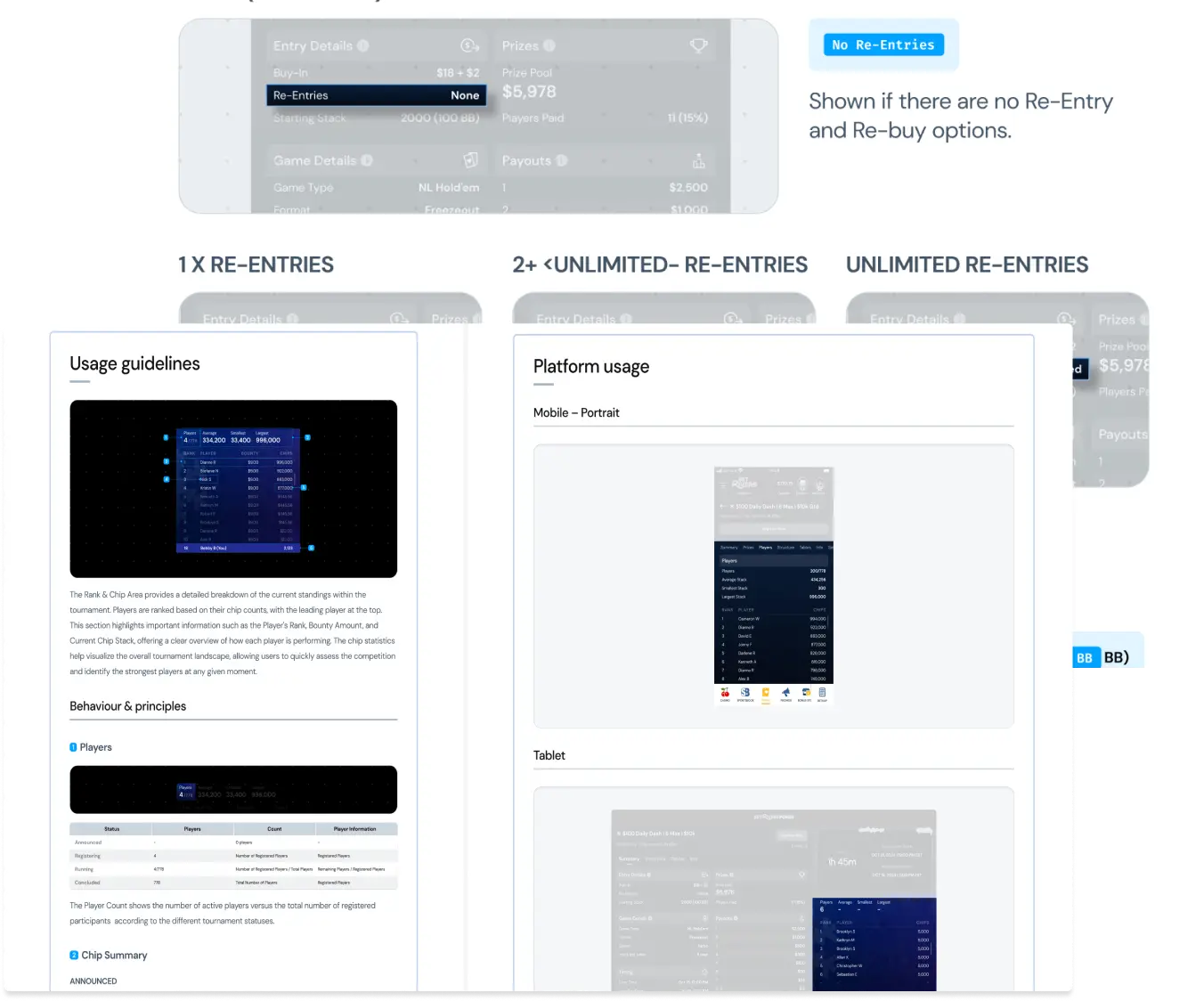
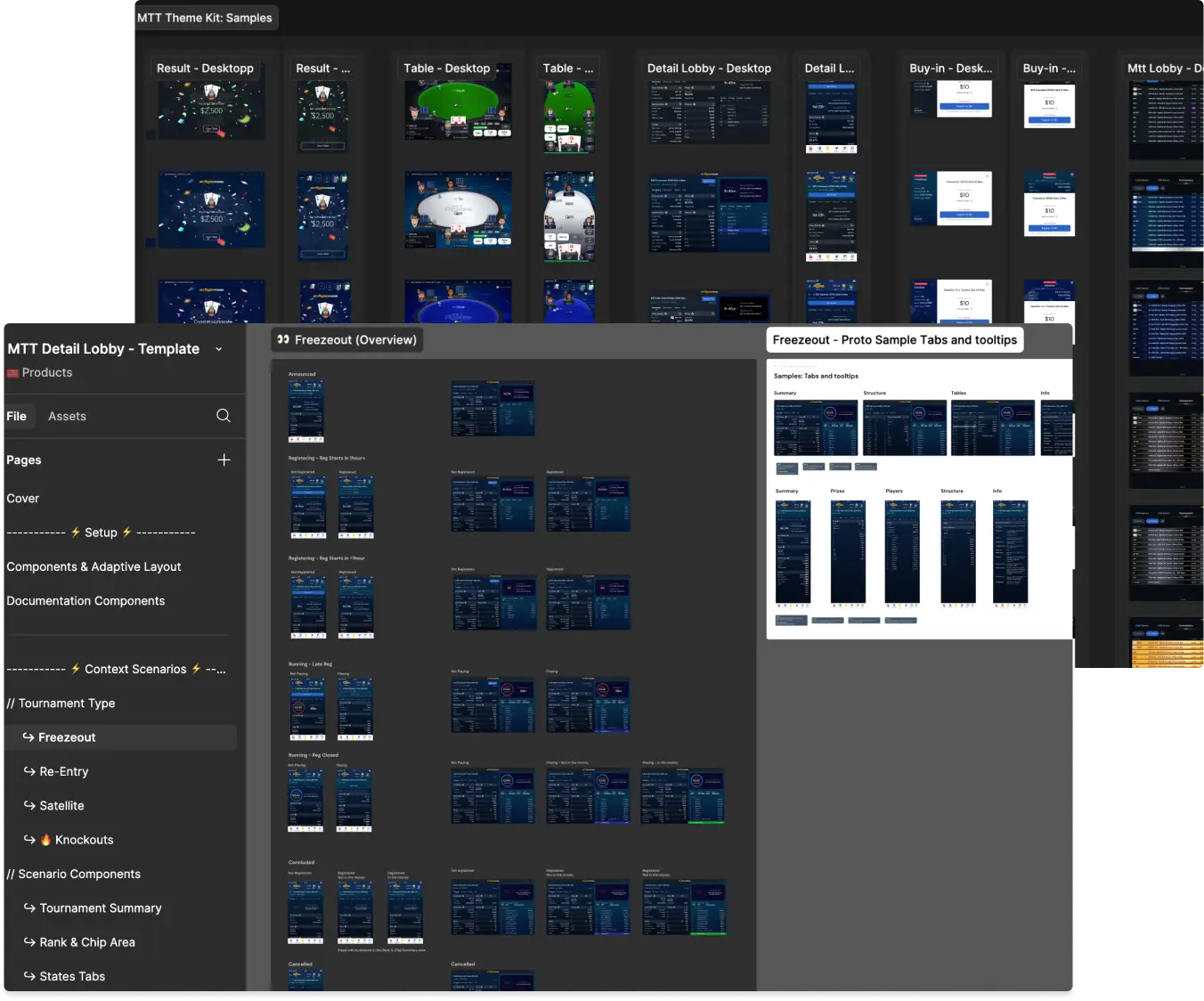
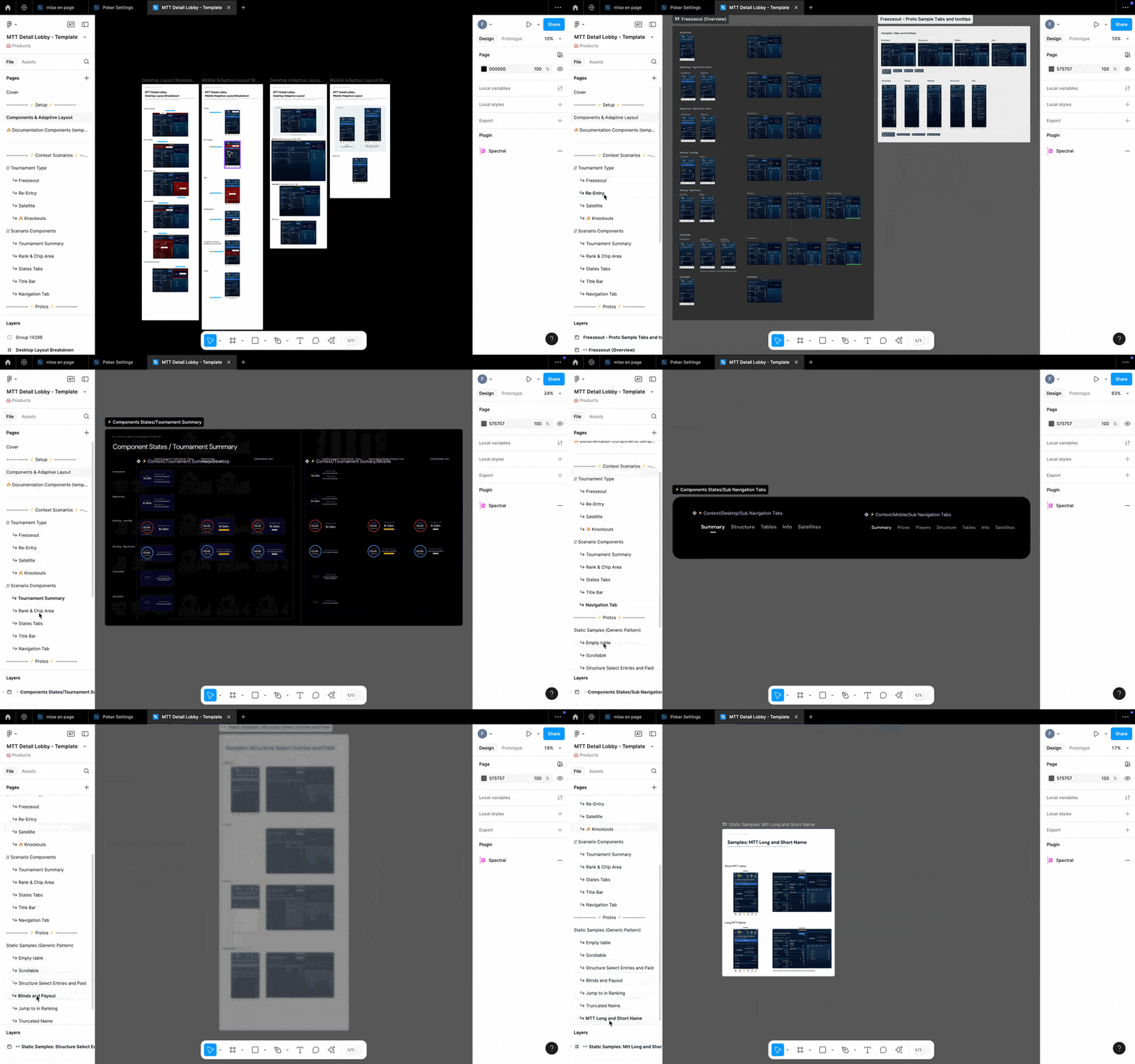
    This file illustrates all the key elements needed to build the MTT Detail Lobby, one of the most complex parts of our product. It includes contextual components, specifications, mockups, and prototypes.

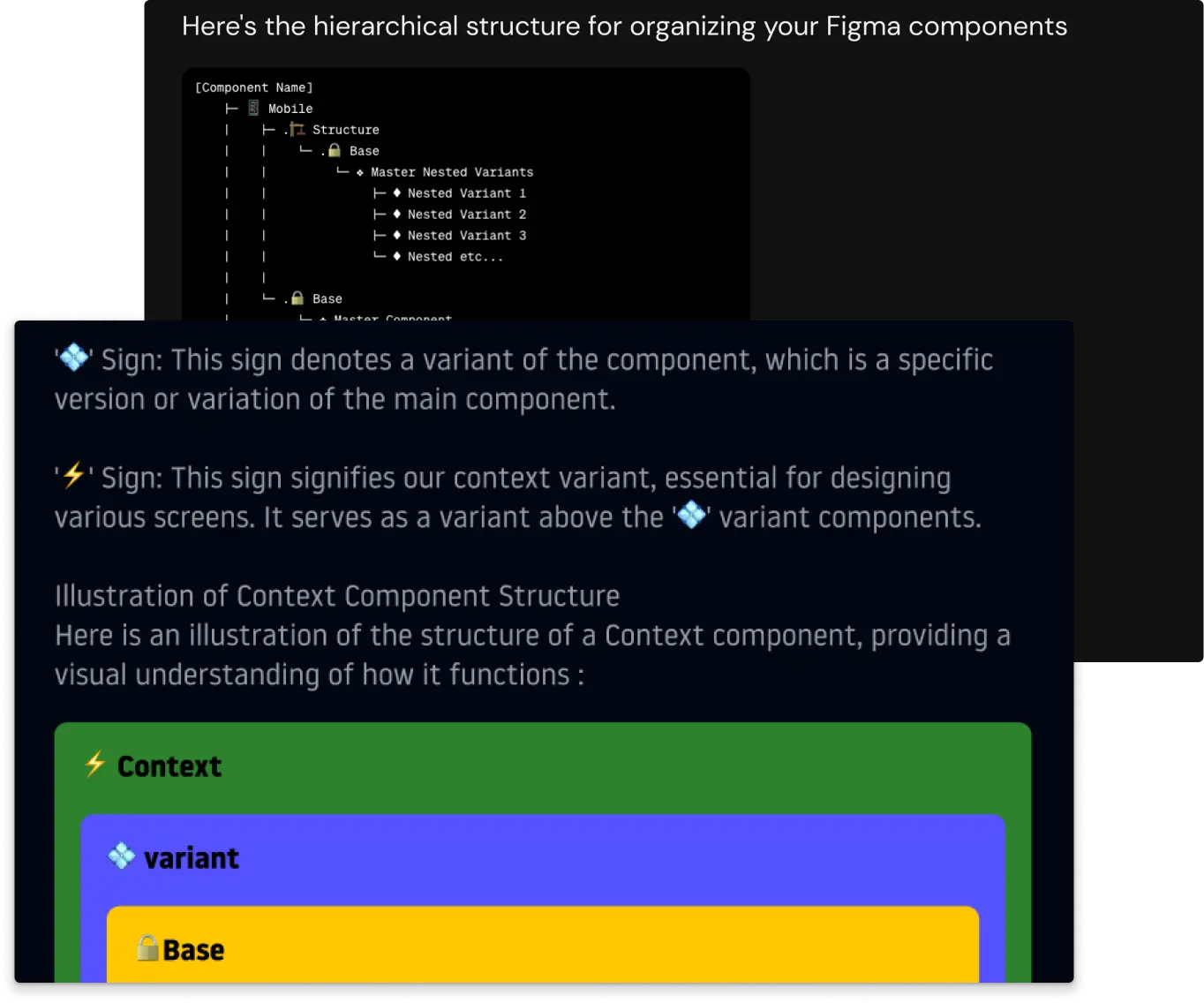
    To achieve this, I introduced the contextual component concept, allowing product designers to create scenario-specific components without modifying the UI Kit’s core components. This ensures consistency while enabling flexibility. As the Design System lead, I can update a component in the UI Kit, and all contextual components will inherit the changes without altering their text or context.
    💪 Main Challenge

    Scaling & Structuring BetRivers Poker’s Design System

    As BetRivers Poker evolved, the lack of a structured Design System (DS) created inefficiencies, inconsistencies, and a slow production workflow. Unlike other RSI products (Casino & Sportsbook), which were linked to the RSI global DS, Poker had to build its own due to unique product needs and the need for faster iteration cycles.

    However, this approach created fragmentation, leading to design debt, inefficient handoff processes, and a disorganized workflow. The challenge was to restructure the system, ensure better DS governance, and optimize collaboration with RSI while maintaining Poker’s independence and production speed.

    🔍 My Design Ops Discovery Process
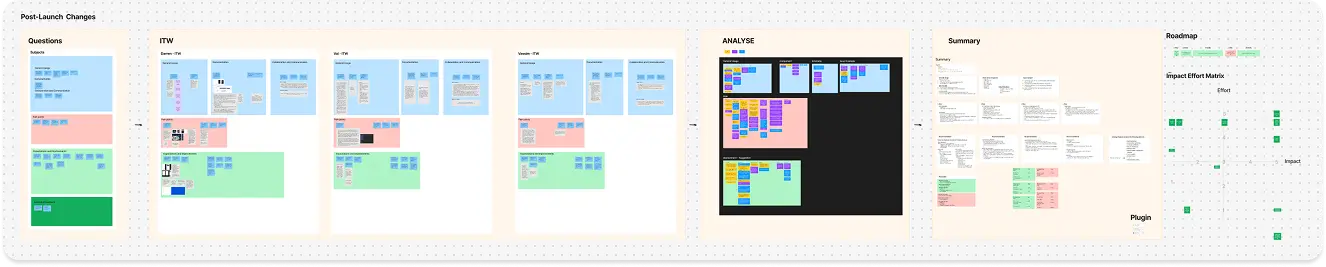
    This structured approach ensured that every improvement was data-driven, prioritized for impact, and tailored to the team’s real needs.

    1. Reducing Design Debt & Structuring the UI Kit


    📔 Context

    The UI Kit was not properly structured, leading to:

  • Unclear hierarchy between core components and contextual elements.
  • Heavy, unmanageable files slowing down Figma’s performance.
  • Inconsistent styles across the product, with missing design foundations.
  • No clear rules regarding how do we should use the Design System from RSI
  • No consistency in naming conventions across files. 
  • 🚨 Problem & Consequences

  • Broken components & missing styles led to design inconsistencies and slowed production.
  • Duplicate components due to a lack of centralization, increasing maintenance complexity.
  • Fear of updating components due to potential breakage, leading to stagnation.
  • Lack of a standardized naming system resulted in designers spending unnecessary time searching for the right elements + Duplicate components with different names
  • 💊 Solution

  • Audit & Cleanup → Identified and fixed broken components, ensuring proper categorization.
  • Style Unification → By linking the missing styles to our components.
  • UI Kit Structuring → Separated base components (source of truth) from contextual components, following atomic design principles.
  • Poker-DS & RSI-DS Integration → Created a bridge with RSI’s DS using shared color variables and some common components while keeping Poker’s independence.
  •  Established clear Design Rules → Defined a consistent naming convention for components, styles, and variants.
  • 2. Handoff & Documentation Inefficiencies

    📔 Context

    There was no structured process for documentation, and handoff was inefficient:

  • Specs were scattered between Slack, Asana, and Figma branches.
  • Figma branch was underutilized, forcing manual, time-consuming handoff.
  • Documentation was out of date
  • 🚨 Problem & Consequences

  • Unclear specs led to misunderstandings and delays in development.
  • Risk of losing information due to lack of proper tracking.
  • Developers had to manually ask for details, slowing down implementation.
  • 💊 Solution

  • Created a centralized Figma repository → One space for all documentation, including navigation structure, design specs, animation samples, and user requirements. The ideal solution would have been to use ZeroHeight, but we didn’t have a license. Confluence had a major drawback—it couldn’t automatically update design exports when pushing an update to an interface or a component, making it less efficient for maintaining up-to-date documentation.
  • Standardized the Handoff Process → Improved the use of Figma branch to freeze the design for the dev, the best solution would be to used figma dev mode to automatized the process but the features were judged not useful by the dev who were not comfortable to use it
  • Defined a clear file structure → Avoiding unnecessary copies of the same component across different branches.
  •  3. Broken Collaboration with RSI & Poker’s Isolation


    📔 Context

  • No collaboration with RSI’s DS team, leading to redundant work.
  • RSI made unilateral changes without interrogating Poker designers.
  • Poker designers preferred working independently, fearing slow responses from RSI.
  • 🚨 Problem & Consequences

  • Duplication of effort, with both teams unknowingly building the same components.
  • Poker designers “froze” RSI components instead of keeping them linked, losing updates.
  • Lack of Dev optimization, as teams worked in silos.
  • 💊 Solution

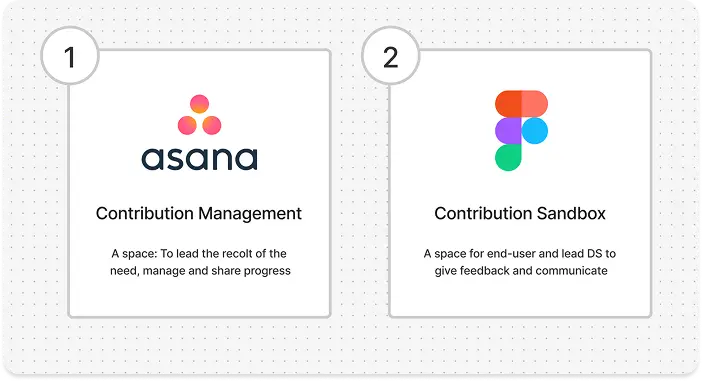
  • Set up a communication process → A Kanban board + dedicated Slack channel for transparent tracking of requests with RSI.
  • Created a Figma Sandbox → Allowing Poker designers to iterate and propose changes before requesting integration.
  •  4. File & Branching Organization Issues


    📔 Context

  • No governance on Figma branches, leading to conflicts and crashes.
  • Designers worked on the same file simultaneously, causing merge issues.
  • No distinction between production-ready and exploratory designs.
  • 🚨 Problem & Consequences

  • Frequent crashes & lost work due to unclear merging rules.
  • Difficult to track the “true” version of a component.
  • Too many copies of the same component, making updates tedious.
  • 💊 Solution

    Governance RuleOne designer per component page update per sprint.

    Branching Guidelines → Clear separation process between current production, upcoming features, and exploratory design.

     5. Lack of Accessibility & UX Tracking


    📔 Context

  • No accessibility audit was ever conducted.
  • No user tracking to measure feature usability.
  • 🚨 Problem & Consequences

  • Potential compliance issues with accessibility standards.
  • Without user behavior data, it was hard to prioritize UX improvements
  • 💊 Solution

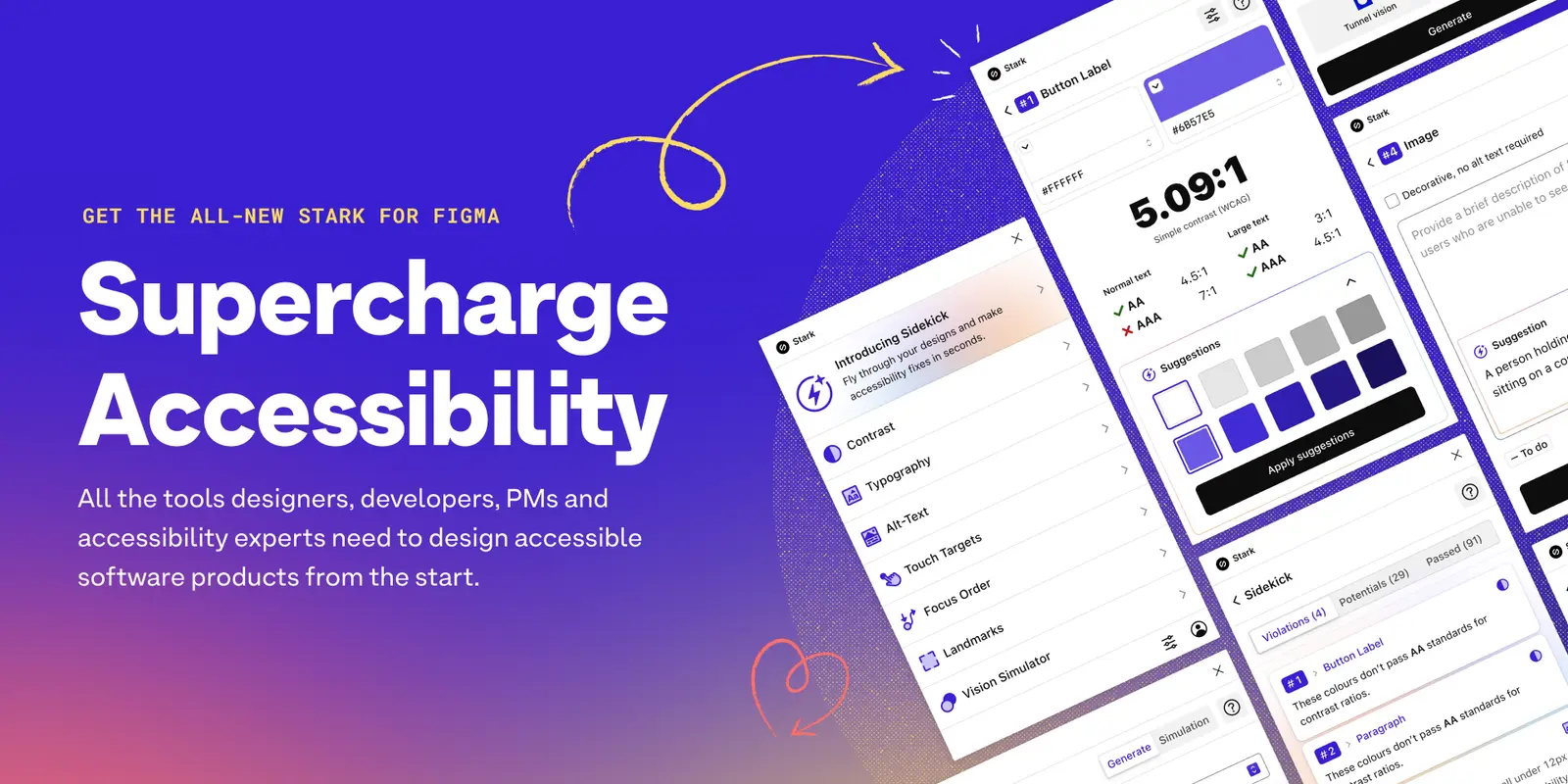
  • Integrate accessibility plugins → To systematically check component compliance.
  • Introduce UX feedback loops → Conduct user voting sessions on the roadmap product release & internal testing by playing on the platform to detect usability issues.
  • Learnings & Key Takeaways
    🔥
    Conclusion

    By structuring the UI Kit, optimizing handoff, improving collaboration, and implementing clear file governance, the BetRivers Poker team significantly improved design efficiency and product quality. These changes not only enhanced production speed but also reduced technical debt, ensuring a more scalable and maintainable design system.

    🚀
    Next Step

    Fully integrate accessibility best practices in all component creation.

    Improve data-driven UX tracking with real user analytics.

    Expand collaboration with RSI DS for better long-term alignment.

    Mission 2 : Designing & Structuring the MTT & Detail Lobby
    📒
    Context
    🎯
    Scope of responsibility
    Main Challenge
  • An existing but incomplete design → Many use cases were not anticipated.
  • No handoff structure → Risk of development bottlenecks and inconsistencies.
  • Confusing navigation and information hierarchy → Lack of clarity in interactions.
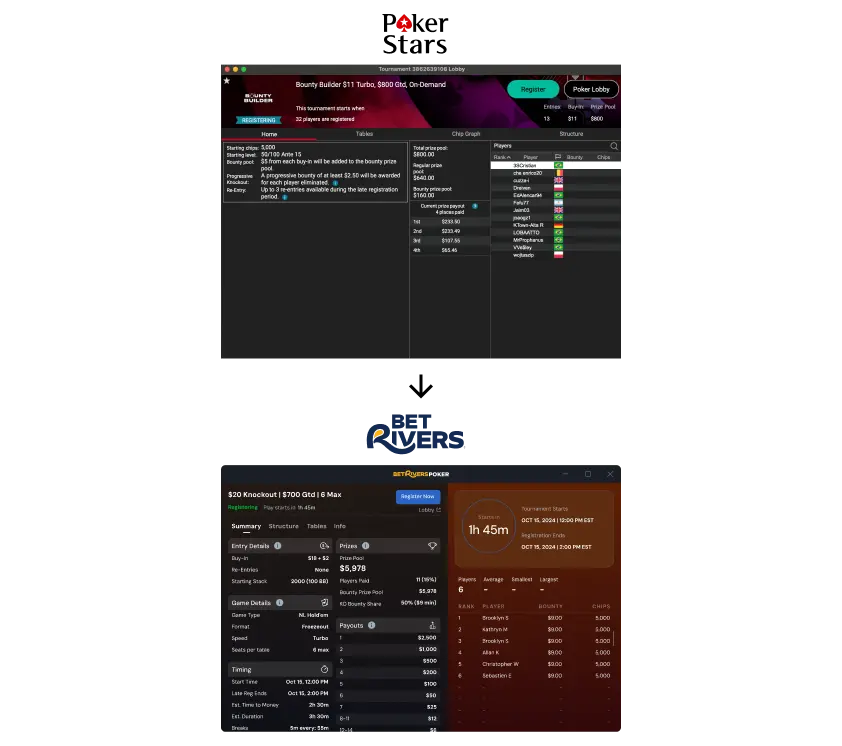
  • No user validation, but strong benchmarking → Features were already tested by competitors (PokerStars, GGPoker), but the presentation needed optimization.
  • 1. An Incomplete Design That Required Continuous Adjustments


    📔 Context

    When I joined the MTT Lobby & Detail Lobby project, some initial designs had been created, but they were not finalized. Many use cases had not been anticipated, leading to inconsistencies and gaps during development.

    🚨 Problem

  • Early designs required constant updates as new edge cases surfaced.
  • Several scenarios were not covered, causing uncertainty for developers.
  • Risk of incomplete or incorrect implementation due to a lack of clear documentation.
  • 💊 Solution

  • Set up an iterative validation process → I structured the interface into distinct features, allowing for progressive iteration while collaborating closely with developers.
  • Implemented a Figma branching system → Each feature was isolated in a branch, preventing conflicts and enabling step-by-step refinement.
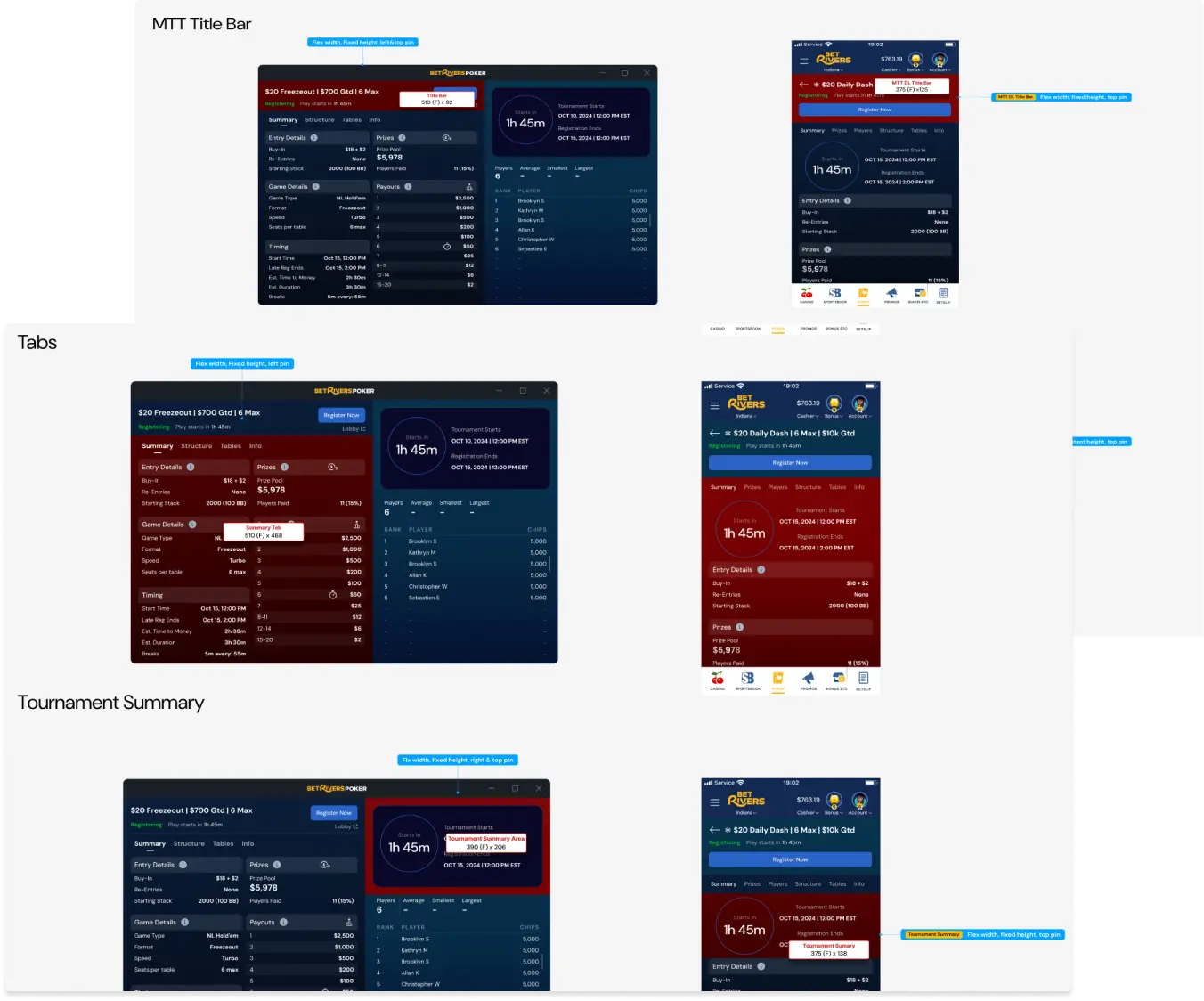
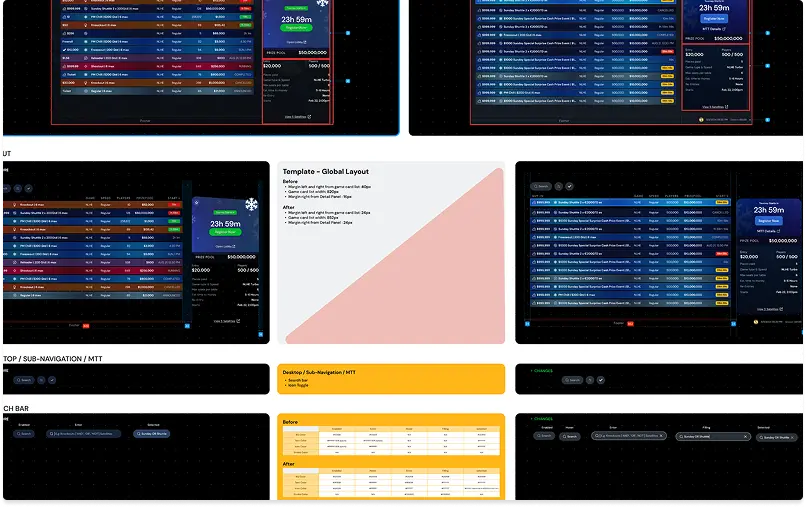
  • Modular file organization → I created a layout Breakdown for desktop and mobile to structure various interface modules, ensuring cross-platform consistency.
  • Close collaboration with UX and UI designers → We identified all potential scenarios and refined the visual identity to ensure a smooth implementation.
  • 2. No Structured Handoff, Leading to Development Issues


    📔 Context

    The project lacked a structured handoff process between the design and tech teams. This resulted in constant back-and-forth, significant time loss, and misinterpretations during development.

    🚨 Problem

  • No defined handoff methodology → Specifications were scattered across Slack, Asana, and Figma.
  • Unfinalized designs at the time of development, causing developer confusion.
  • Developers struggled to track updates, leading to incorrect implementations.
  • 💊 Solution

  • Dedicated Figma branch system → Each feature was isolated within a dedicated branch, enabling step-by-step validation before integration.
  • Centralized Documentation → I created a structured repository on Figma containing specifications, components, and interaction rules. The main branch holds the complete documentation and specs, while each feature branch includes only the relevant documentation for its scope. This approach prevents developers from being overwhelmed with excessive information and ensures they receive the right details at the right time, aligned with the current sprint’s needs.
  • Design freeze process → At the beginning of each sprint, designs were locked before development, ensuring accurate implementation without mid-sprint changes.
  • Improved inter-team communication → I established a clear validation framework, reducing friction and speeding up implementation.
  • 3. Poor Information Hierarchy


    📔 Context

    Critical information for players (rankings, buy-ins, blinds levels, etc.) was poorly structured, making the interface difficult to navigate and interpret.

    🚨 Problem

  • Confusing presentation of key tournament details.
  • Lack of clarity in content organization.
  • Needed better readability and navigation to improve the user experience.
  • 💊 Solution

  • Complete redesign of content structure → Based on data from Rank & Chip Summary, Tournament Summary, and Game Card List, I structured elements more intuitively.
  • Standardization of display patterns → Defined reusable components to ensure visual and informational consistency across all pages.
  • Benchmarking of best industry practices → Studied competitors like PokerStars and GGPoker, refining readability and UI ergonomics.
  • 4. Ensuring Adaptability Between Desktop & Mobile


    📔 Context

    The project needed to be fully responsive, but no clear adaptation logic had been defined before my involvement.

    🚨 Problem

  • No defined adaptability rules → Risk of inconsistencies between desktop and mobile.
  • Rigid components that were difficult to scale for different screen sizes.
  • Lack of clear guidelines for transitioning between desktop and mobile views.
  • 💊 Solution

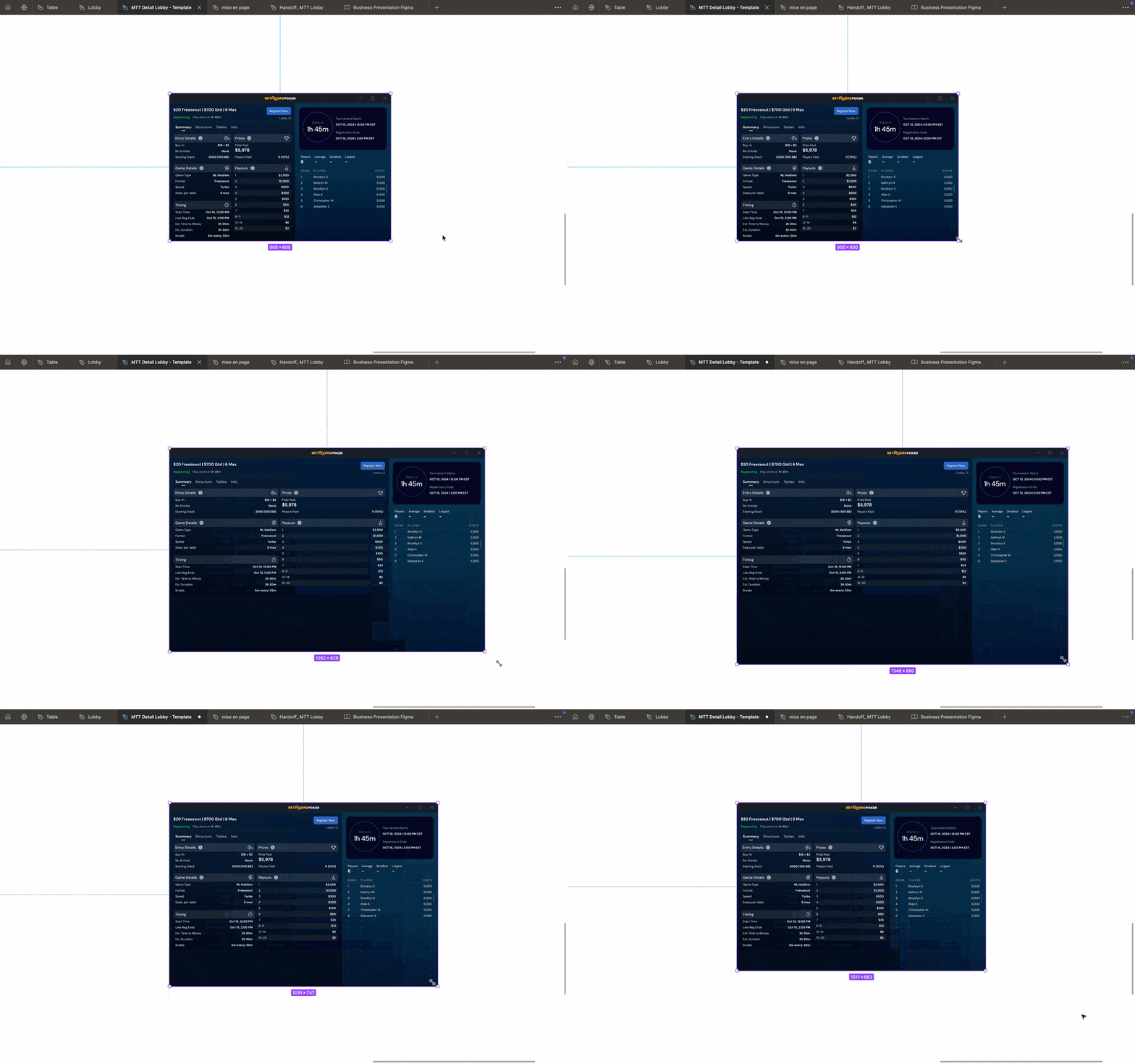
  • Developed a high-performance adaptive layout → I documented adaptation rules through Desktop Adaptive Layout Breakdown and Mobile Adaptive Layout Breakdown.
  • Created flexible components → I built modular structures, ensuring a smooth transition between desktop and mobile without requiring full redesigns.
  • Defined clear mobile behavior guidelines → Focused on scrollable behaviors and sub-navigation tab handling to ensure a seamless experience.
  • 5. Managing Multiple Tournament Types


    📔 Context

    The MTT tournaments included multiple formats (Freezeout, Knockouts, Satellite, Re-Entry etc…), but there was no standardized template to efficiently structure them.

    🚨 Problem

  • Too many variations to handle, without a clear template system.
  • Risk of errors in displaying tournament-specific information.
  • 💊 Solution

  • Created the MTT Template Lobby → A modular framework that standardized tournament layouts while maintaining flexibility
  • Designed specific components for each tournament type → Detailed templates optimized for Freezeout, Knockouts, Re-Entry, and Satellite tournaments.
  • Optimized the information display for each tournament → Clarified the ranking tables, prize pools, and registration details.
  • Created MTT Sample a file dedicated to represent the different styles available for the MTT appearance on the different areas (Table,Mtt Lobby,Mtt Dt Lobby,Result,Buy-In)
  • Learnings

    🔹 Structuring an ongoing project without starting from scratch → A methodical and progressive approach.

    🔹 A good handoff doesn’t happen by chance → Feature breakdown and branch organization are key.

    🔹 Adaptability is essential → Implementing a flexible and modular design to ensure cross-platform consistency.

    📊
    Measurable Results
  • +80% efficiency in feature implementation due to a clear and progressive design structure.
  • -90% tech feedback related to unclear handoff.
  • Full adoption of the MTT Template Lobby → Standardizing the design to facilitate new feature additions.
  • Why Does It Make a Difference?
  • Scalability & Structure → A more organized, structured, and easily maintainable project.
  • Optimized HandoffSmoother collaboration with developers, reducing errors and implementation delays.
  • Enhanced UX → A clearer, more intuitive, and responsive experience across desktop and mobile.
  • Standardized MTT Tournament Structure → A modular solution that allows for easy integration of new tournaments.
  • 🚀
    Next Step
  • Integrate analytics and UX tracking to refine the experience based on real usage.
  • Expand the handoff methodology to other projects to standardize the process.
  • Standardize and automate handoff management using Figma’s Dev Handoff feature
  • Mission 3 : Enhancing User Engagement with Micro-Interactions & Gesture Design
    📒
    Context
    🎯
    Scope of responsibility
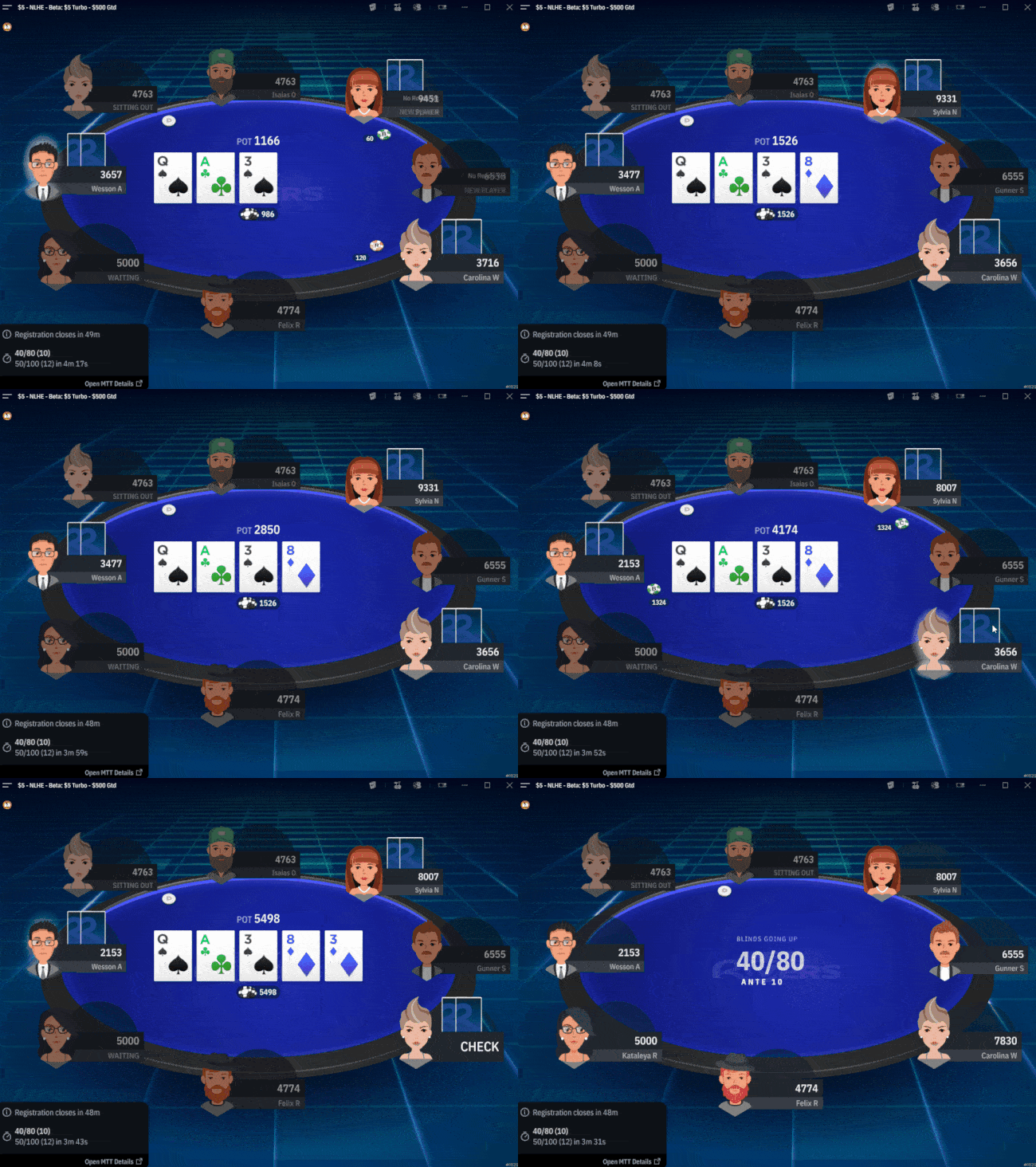
     Interaction Design Process & Implementation Strategy
    💡
    Workflow Optimization
  • Figma Branches → Organized feature isolation & iterative updates.
  • Handoff Documentation → Detailed Asana specs & color-coded Figma guidelines.
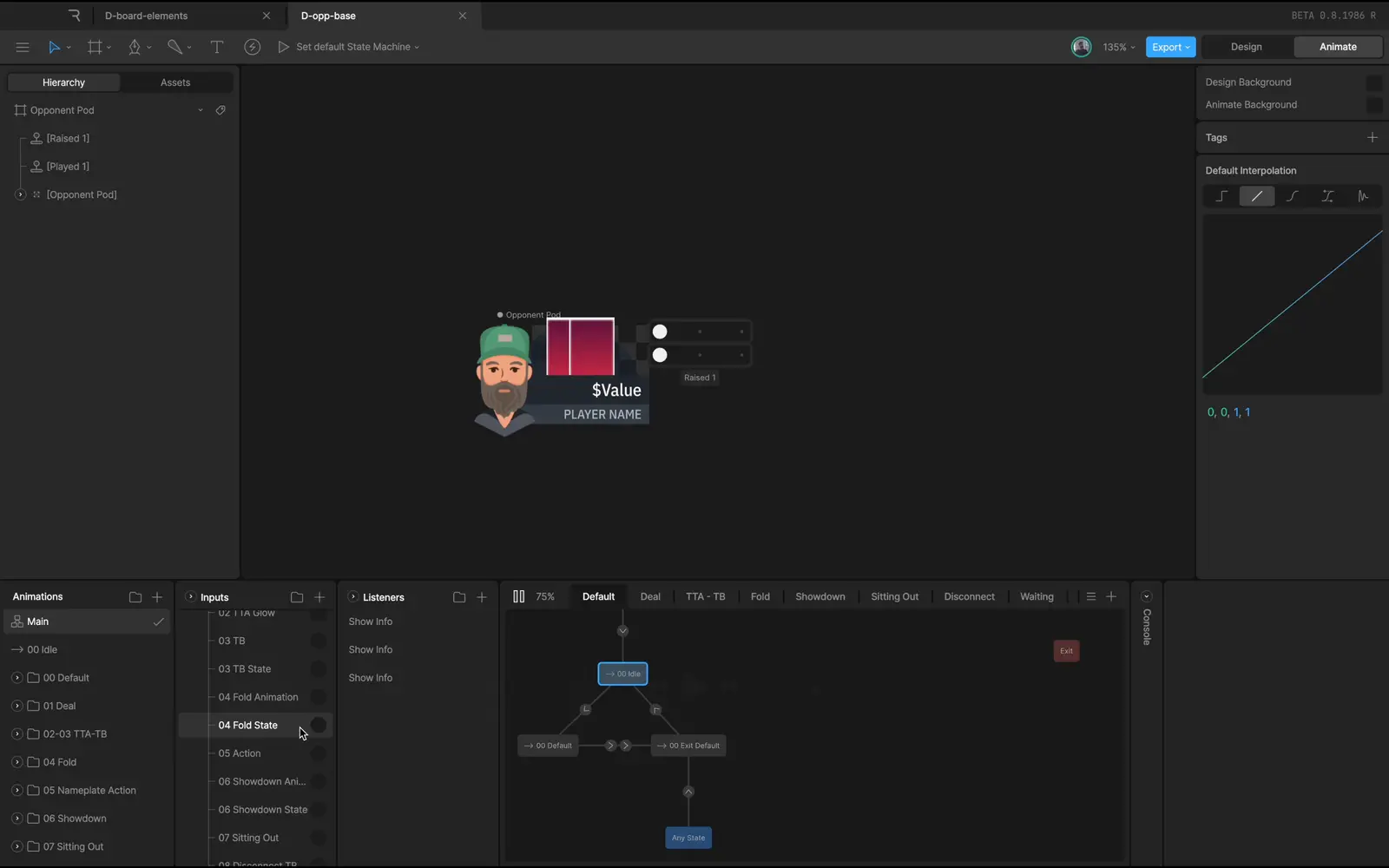
  • Motion Design with Rive → Defined transition behaviors for all micro-interactions.
  • 🤝
    Developer Collaboration
  • Live prototype testing before handoff.
  • Slack & Asana coordination for rapid iteration & feedback loops.
  • Real-time dev reviews to fine-tune interactions before implementation.
  • 🧪
    Testing & Iteration
  • Internal playtesting → Feedback from company power users.
  • A/B testing for optimization → Refined interactions based on live usage data (not implemented yet)
  • Post-launch iteration → Fine-tuning gesture responsiveness based on real-world performance.
  • Key Interaction Features & Design Solutions
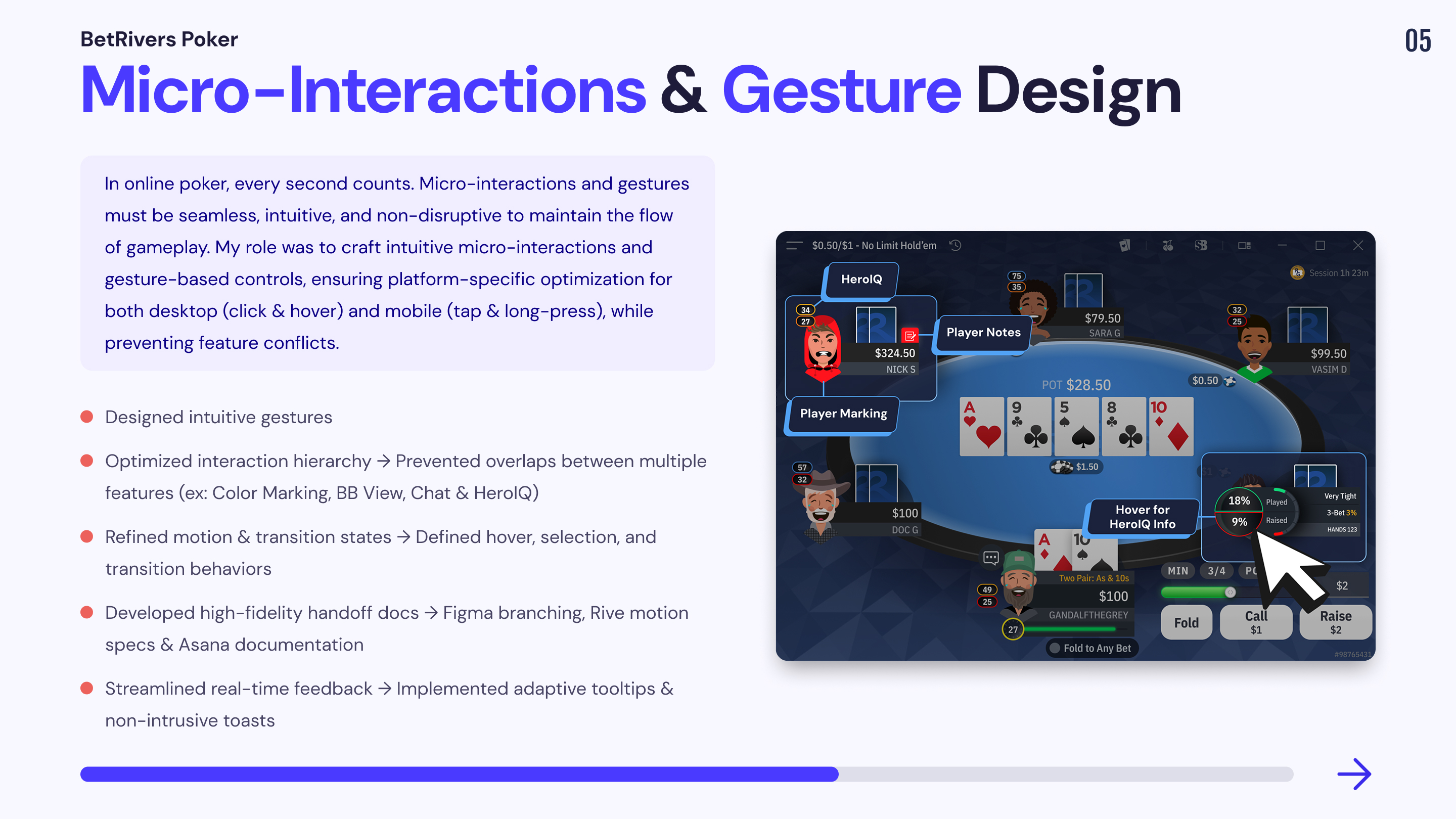
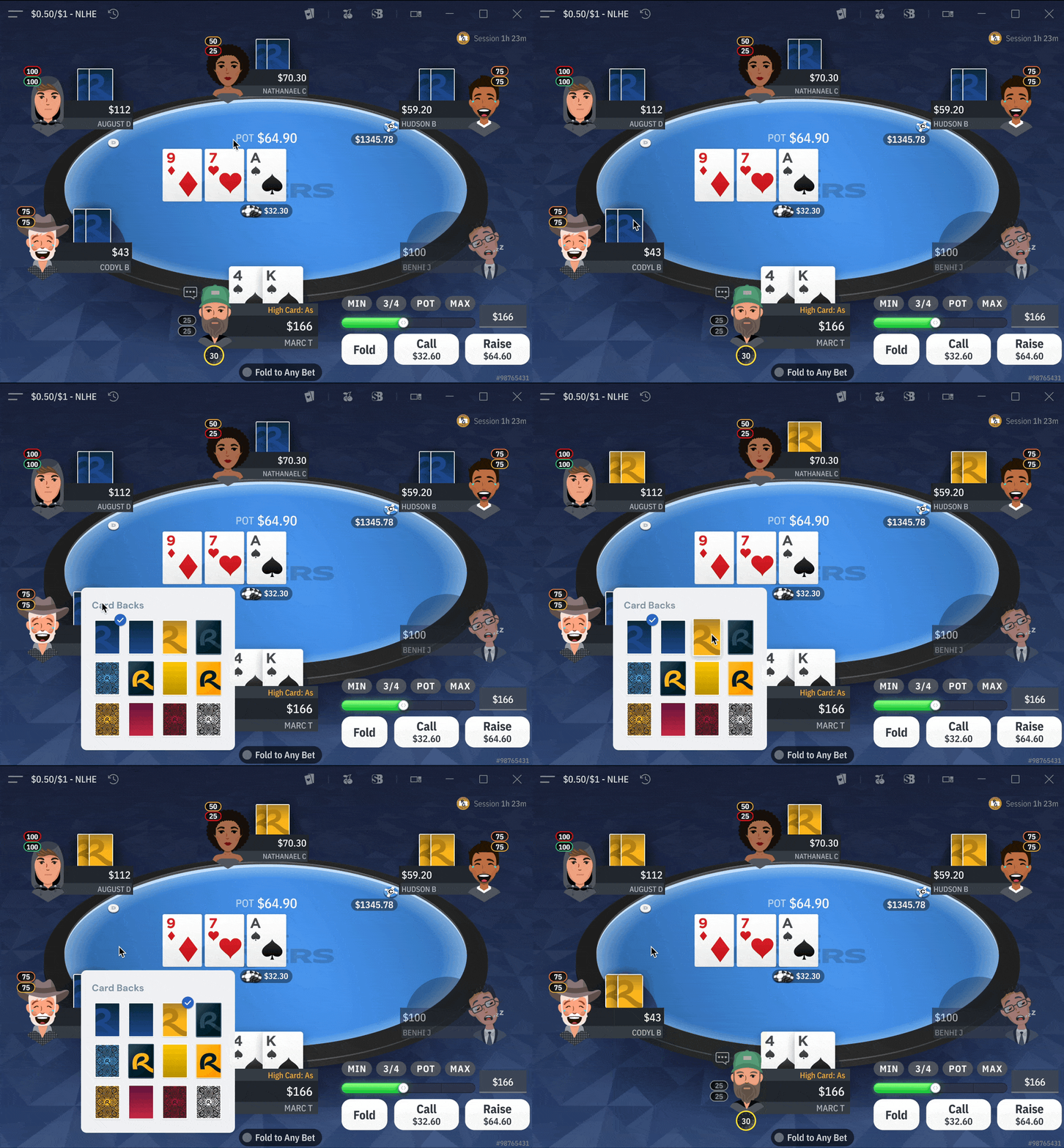
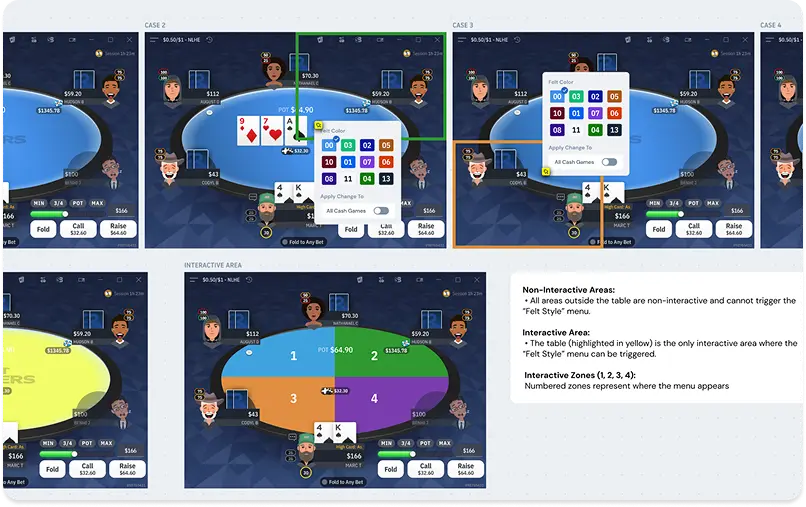
    1. On-Table Themes & Customization
    🎨 Allowing users to personalize their poker experience while preserving game clarity.


    📔 Context

  • If the menu overlaps the action zone, it could block game decisions.
  • Hover and selection states need to be distinct to prevent confusion.
  • Developers needed clear specifications to match UI colors and animations correctly.
  • 🚨 Problem

  • If the menu overlaps the action zone, it could block game decisions.
  • Hover and selection states need to be distinct to prevent confusion.
  • Developers needed clear specifications to match UI colors and animations correctly.
  • 💊 Solution

  • Dynamic menu positioning → Prevents obstruction by adjusting based on click zones.
  • Hover & selection feedback → Clearly distinguishes preview vs. applied selection.
  • Color-coded developer handoff → Ensures correct application of UI elements.
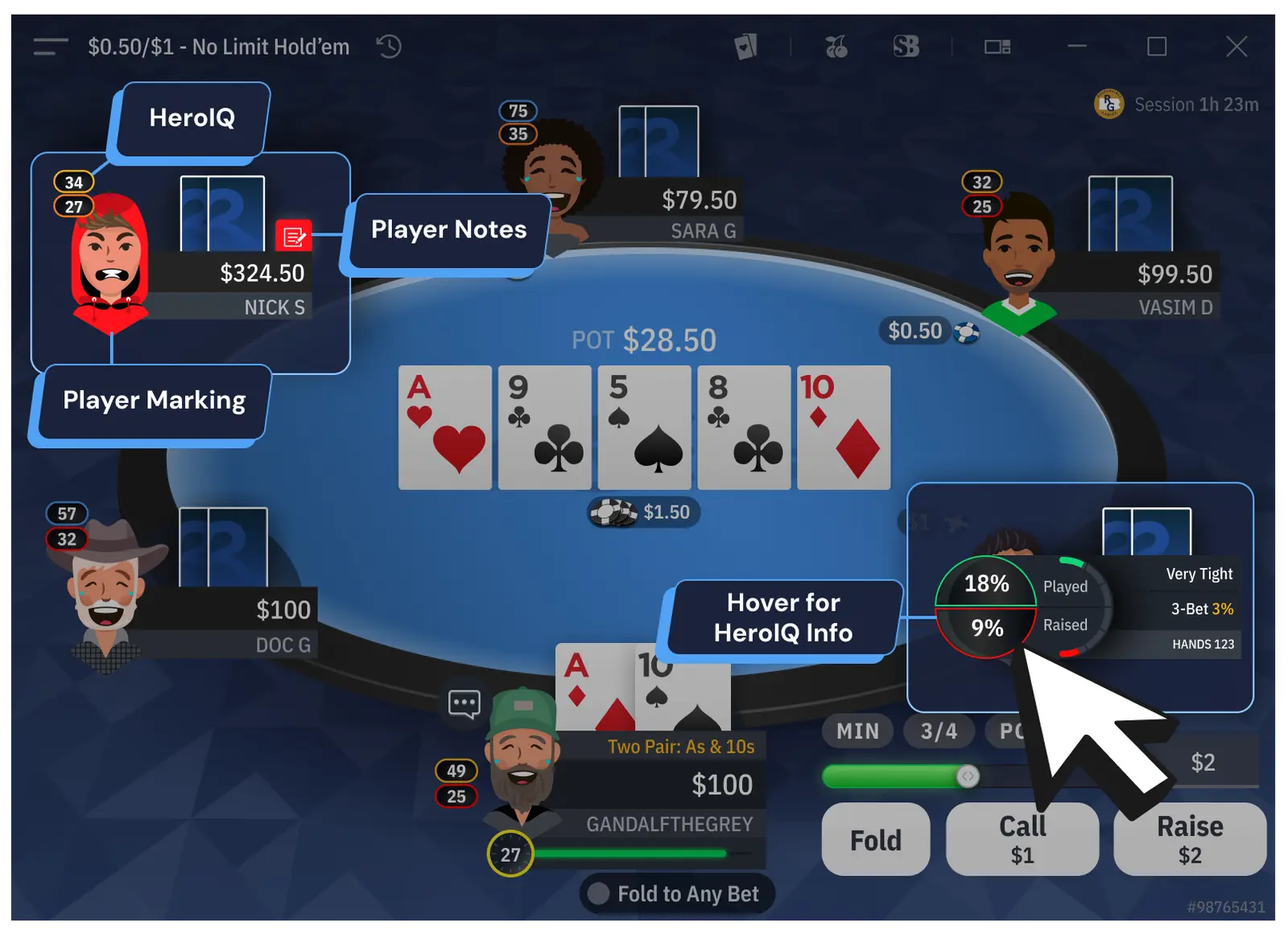
  • 2. Color Marking & Notes UI
    🕹️ Helping players track opponents without interfering with in-game interactions.

    📔 Context

    Poker players need to mark opponents (e.g., aggressive, passive) and take quick notes during gameplay. This feature must be quickly accessible without conflicting with other UI elements.

    🚨 Problem

  • Conflicts with BB View, HeroIQ Info, and Card Backs customization.
  • Need for gesture-based differentiation between selecting a note and marking a player.
  • Developers needed gesture-specific logic to implement correctly on mobile & desktop.
  • 💊 Solution

  • Defined interaction zones → Prevented feature overlaps by assigning distinct UI spaces.
  • Gesture logic
  • Figma + Rive integration → Used Rive to create a bridge between Figma to support the handoff
  • 3. Player Chat & Emoji System
    💬 Enhancing the social aspect of poker while maintaining a distraction-free environment.

    📔 Context

    Poker players need to mark opponents (e.g., aggressive, passive) and take quick notes during gameplay. This feature must be quickly accessible without conflicting with other UI elements.

    🚨 Problem

  • Players must react quickly without breaking focus
  • The appearance of the emoji or chat bubble on avatars should not prevent the game from being read.
  • Most-used reactions should be prioritized.
  • The chat should simulate an open experience while preventing toxic messages.
  • 💊 Solution

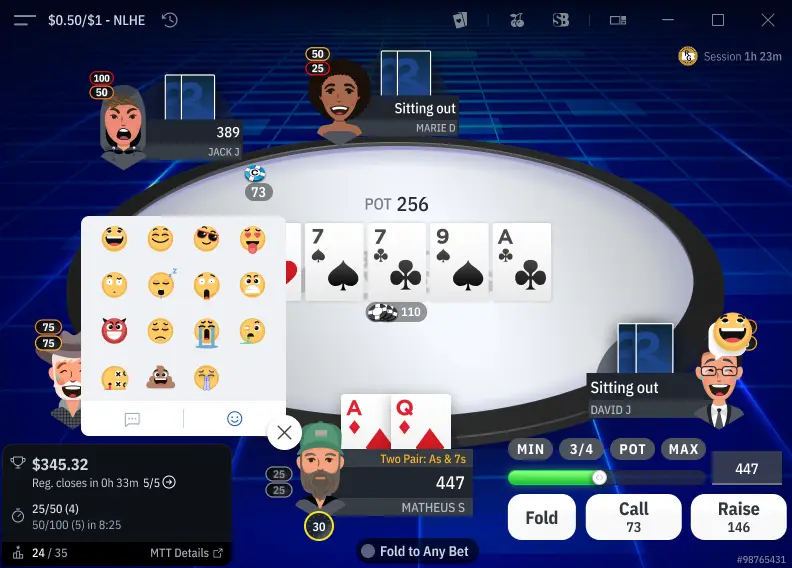
  • Slot-based emoji system → Enables quick reaction swapping.
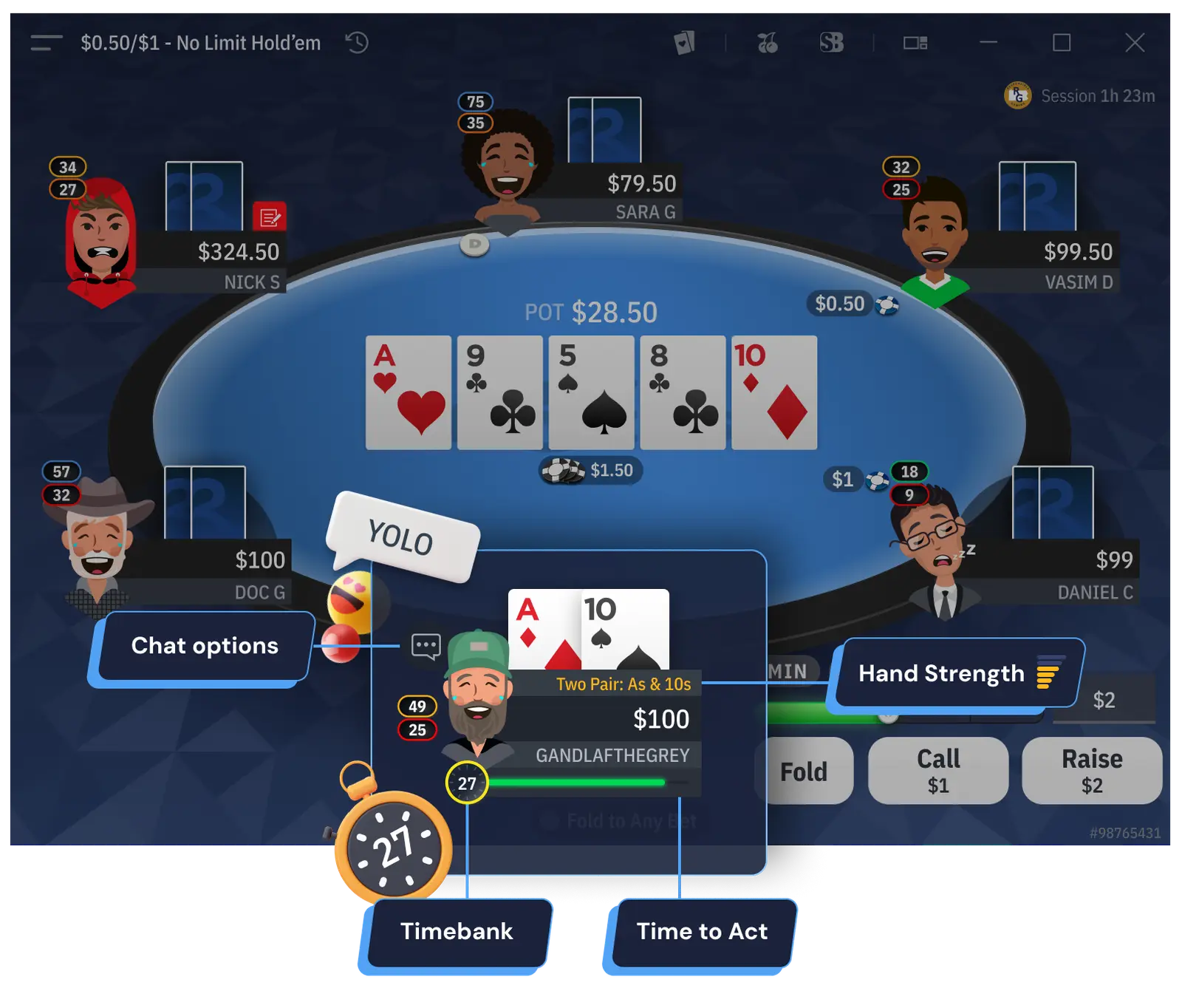
  • Reaction prioritization → Highlights LOL, Nice Hand, Yolo, based on real user data.
  • Simulated freedom → Users pick from pre-approved messages, avoiding toxicity.
  • Mobile layout optimization → Preserved space in tab bar for mobile for future features.
  • 4. Tooltips & Toasts (UX Feedback Mechanisms)
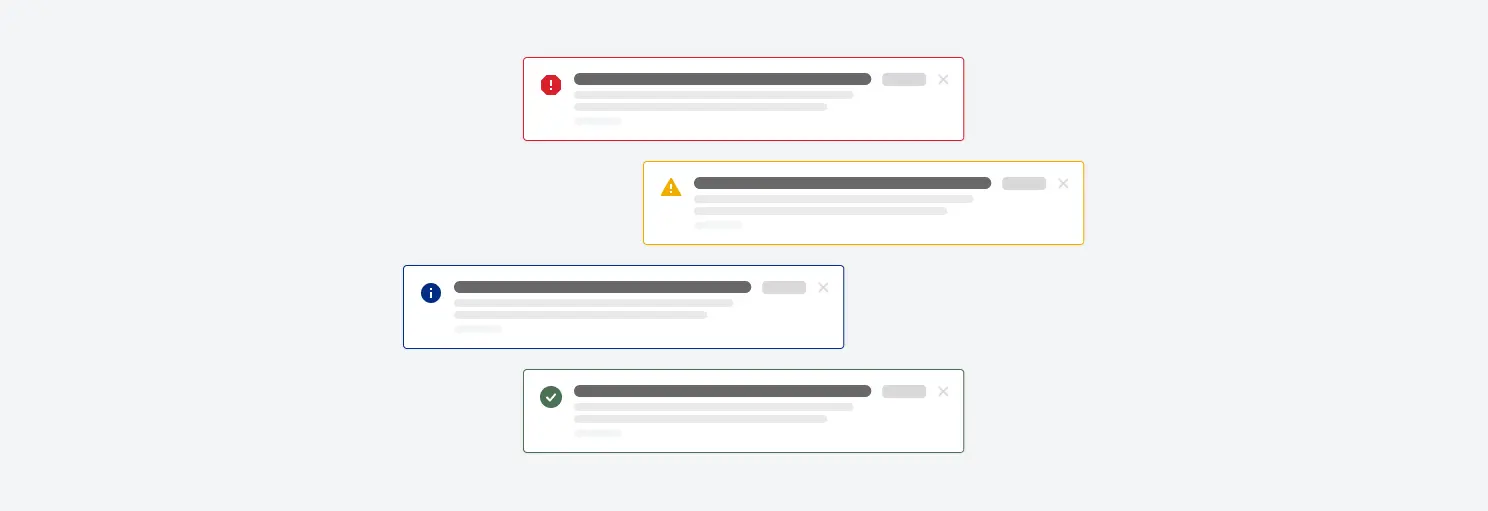
    🤖 Providing real-time feedback without cluttering the interface.

    📔 Context

    Poker relies on real-time decisions. Players need instant feedback (e.g., successful actions, errors) without being overwhelmed.

    🚨 Problem

  • Tooltips must not overlap essential game areas.
  • Toasts should be visible but non-intrusive.
  • 💊 Solution

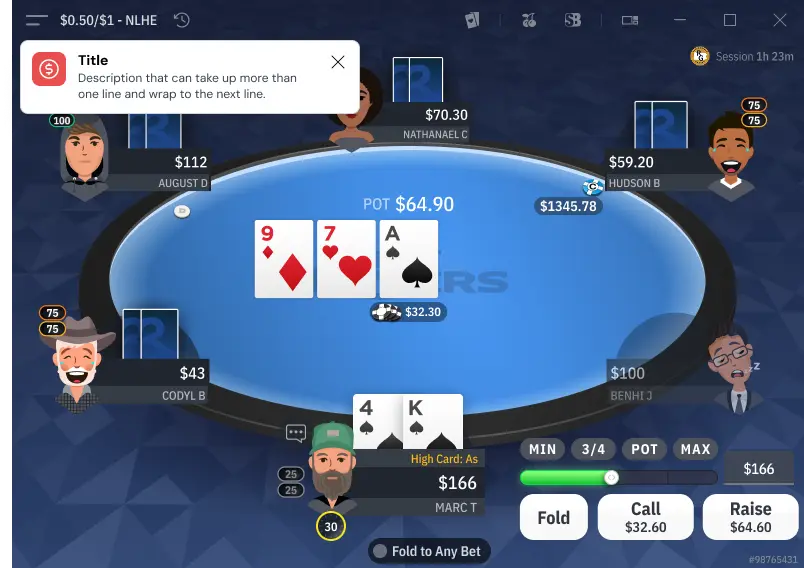
  • Adaptive tooltip positioning → Avoids blocking critical elements.
  • Auto-dismissal logic → Ensures optimal visibility without excessive delay.
  • Smooth animations → Lightweight fade-in/out transitions.
  • Learnings

    Designing micro-interactions in a fast-paced gaming environment presented a unique set of challenges. One of the key takeaways was the importance of balancing interaction complexity with user efficiency—ensuring that every action felt instantaneous, intuitive, and non-disruptive. The project reinforced the need for precise interaction hierarchy, where each gesture had a clear and distinct purpose, avoiding feature conflicts (e.g., Color Marking vs. HeroIQ).

    Additionally, the experience highlighted the value of structured design documentation and iterative testing. Working closely with developers through Figma branches, Asana specs, and Rive animations allowed for smoother integration and faster adjustments based on real-world feedback. The collaborative approach across design, development, and UX research was key to refining gestures and ensuring seamless cross-platform interactions.

    Lastly, we learned that UX optimizations should be data-driven. Through internal testing and real usage data, we were able to refine reaction speed, menu placement, and interaction timing to align with player expectations, improving overall usability and engagement.

    📊
    Measurable Results:
  • Interaction logic fully documented per platform (desktop gestures vs mobile gestures), eliminating dev interpretation gaps
  • Feature conflict matrix delivered (Color Marking, BB View, HeroIQ, Chat) preventing overlapping gesture assignments
  • Handoff time reduced through detailed motion specs (Rive) and structured Figma branches, consistent with the -35% measured across Mission 2
  • Mission 4: Documentation & Handoff process
    📒
    Context
    🎯
    Scope of responsibility
    Main Challenge

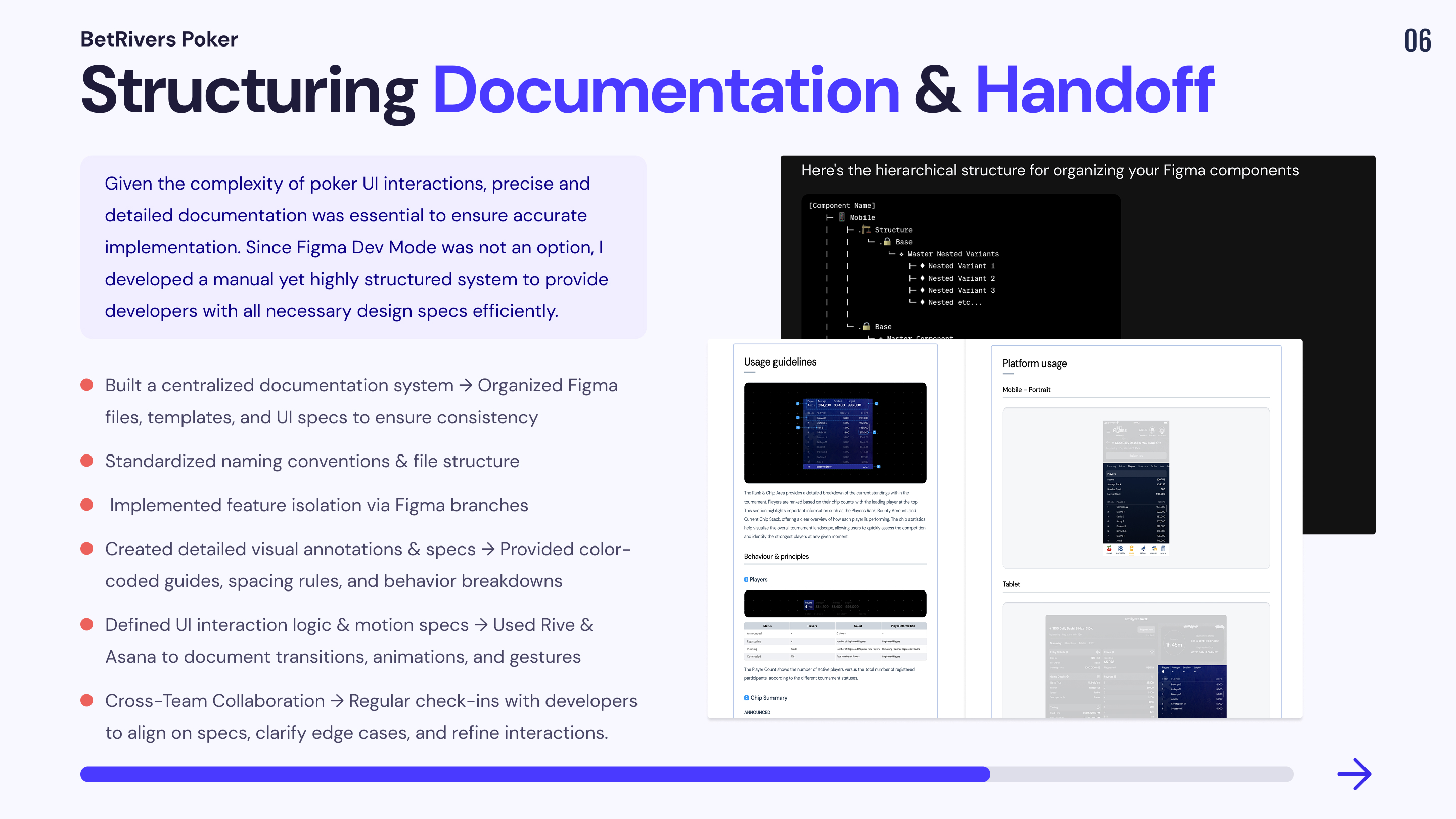
    Given these constraints, a structured approach was necessary to ensure that the handoff process remained efficient, scalable, and error-free.

    Structuring the Documentation for Clarity & Efficiency


    📔 Context

    To make UI specifications clear and actionable, I implemented a systematic approach to documentation, ensuring that every component, feature, and interaction had a dedicated reference.

    🚨 Problem

  • No clear file organization → Difficult for developers to navigate design files and find relevant specs.
  • Component variations were not properly documented → Resulted in inconsistencies in implementation.
  • Lack of guidelines on naming conventions and file structure → Made maintenance and scaling difficult.
  • 💊 Solution

  • 📁 File Structuring & Naming Conventions → Established a modular system, categorizing elements into base components, variants, and feature templates to improve scalability.
  • 📖 Component Documentation → Created detailed documentation outlining component usage, interactive behaviors, and responsive adaptations.
  • 🏗 Design Rules & Standardization → Defined UI principles and constraints to ensure uniformity across devices and game states.
  • Implementing an Effective Handoff Process


    📔 Context

    Since Figma Dev Mode was not an option, a manual but highly detailed handoff approach was required to provide developers with precise specifications.

    🚨 Problem

  • No clear process for transferring design specs → Led to frequent back-and-forth adjustments with developers.
  • Interactions and animations were not fully documented → Resulted in inconsistencies during implementation.
  • Developers needed granular details on UI behaviors → Required a step-by-step breakdown of component interactions.
  • 💊 Solution

  • 🔀 Feature Isolation with Figma Branches → Ensured that each iteration was documented progressively, preventing major conflicts.
  • 📊 Detailed Visual Handoff → Provided color-coded annotations, spacing guides, and UI behavior charts to minimize ambiguity.
  • 🎬 Animation & Interaction Specifications → Used Rive animations and motion specs to clarify transitions, hover effects, and interactive states.
  • 📋 Centralized Documentation in Asana & Confluence → Created a single source of truth for all design specs, component logic, and UI rules.
  •  Key Documentation & Handoff Solutions
    Learnings

    📚 Key Learnings

  • Early developer involvement is crucial to ensure alignment and reduce revisions.
  • A well-organized handoff and documentation system significantly improves workflow efficiency and team collaboration.
  • By implementing a clear, structured, and highly detailed documentation process, I ensured that designs were seamlessly translated into development. Despite not using Figma Dev Mode, my manual documentation system provided developers with precise, actionable specs, leading to faster, error-free implementation.

    📊
    Measurable Results:
  • Reduced UI-related errors, ensuring smoother implementation.
  • Faster handoff process, minimizing unnecessary back-and-forth.
  •  Improved design consistency, allowing better scalability and maintenance.
  • Key Result


    🚀
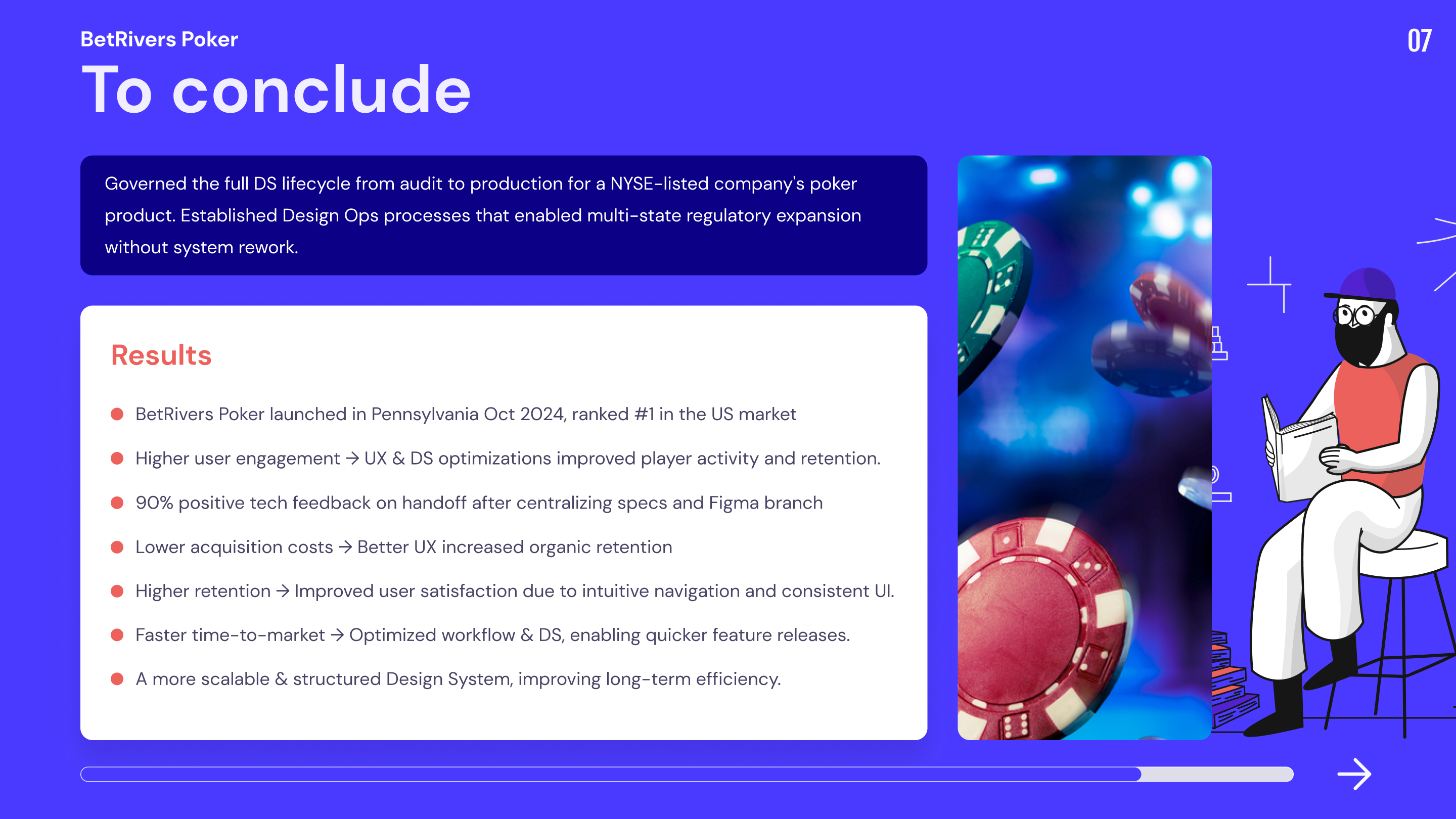
    BetRivers Poker launched in Pennsylvania in October 2024 and expanded to 4 states (PA, MI, DE, WV) within 8 months. The design system, handoff process, and MTT template structure shipped during my tenure directly supported this multi-state rollout without requiring system rework.

    Outcomes

  • -90% tech feedback on handoff after centralizing specs and introducing Figma branch methodology
  • -35% handoff cycle time through structured branch system and centralized documentation
  • MTT Template Lobby fully adopted by the team, enabling WV, MI and DE tournament integration without system rework
  • Design System stabilized across 5 dedicated files with naming conventions adopted team-wide
  • Platform expanded from Pennsylvania to 4 states (PA, MI, DE, WV) within 8 months of launch
  • BetRivers Poker ranked #1 in the US by Pokerfuse at time of writing
  • Process constraints

  • Manual handoff: Dev Mode lacked precision, and devs weren’t comfortable with Figma, making handoff slow and manual instead of automated.
  • Limited adoption of improvements: The team wasn’t ready to switch to variables over styles, slowing workflow optimization.
  • DS fragmentation: No full merge with Rush Street Interactive’s DS due to managerial decisions and lack of alignment, resulting in a hybrid DS.
  • No real user tracking: While we gathered feedback via voting and internal test sessions, we lacked proper tracking to assess real user behavior.
  • Accessibility deprioritized: Despite the clear need for an audit and structured improvements, accessibility was never prioritized, leaving key issues unresolved.